
Turn your pet into a sticker
Drop a video of your cat, dog or any pet. The AI cuts them out of the background on every frame, and you get an animated sticker to send to everyone.
- Free
- No watermark
- No sign-up
- Your video never leaves your device
Transparent sticker
How it works
- 1Pick a pet videoA head tilt, a yawn, a zoomie — a few seconds is all you need.
- 2Cut them outThe AI finds your pet on every frame. Tap a tail or an ear if it missed one; tap the floor if it kept some.
- 3Style and shareAdd a white outline for the classic sticker look, then save it for WhatsApp, iMessage, Discord or GIPHY.
Before and after
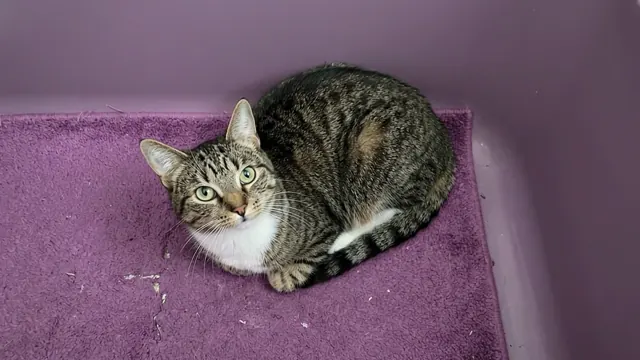
Tips for pet stickers
Fluffy edgesFur looks best as WebP or APNG, which keep soft edges. A white outline also hides wispy bits on GIFs.
Tails and pawsThin parts that blend into the floor can go missing — one Add tap brings them back for the whole clip.
Film at their levelGet down to your pet’s height with a plain floor or wall behind them; it gives the cleanest cut-out.
Keep the camera stillLean the phone on something. A still camera lets GifNoBg compare frames and separate fur from a similar-coloured floor.
Made with GifNoBg

Questions
How do I make a sticker of my cat or dog?
Choose a short video of your pet, let the AI remove the background, add an outline if you like and download it for your chat app.
Does it work with any pet?
Yes — cats, dogs, rabbits, birds, anything with a clear outline. Tap to add or remove parts the AI misjudged.
Can I send it on WhatsApp?
Yes. Choose the WhatsApp size when downloading. How to add it.
Is my video uploaded?
No. Your pet’s video stays on your device.
Is it free?
Yes, with no sign-up and no watermark.
Learn more
More free tools
Ready? It takes a minute or two.
Make a sticker