Make an animated WhatsApp sticker from a video
Turn a short video into an animated WhatsApp sticker: GifNoBg removes the background and saves a 512×512 animated WebP that fits WhatsApp's limits.
WhatsApp stickers are transparent, square, animated WebP images. GifNoBg makes them in the right format for you.
Make the sticker
- Open your video at gifnobg.com and let the AI remove the background.
- Trim it to the best moment. WhatsApp animated stickers can be up to 10 seconds, but 2–4 seconds works best.
- Pick a style — a White outline looks just like a real WhatsApp sticker.
- Press Download sticker and choose WhatsApp.
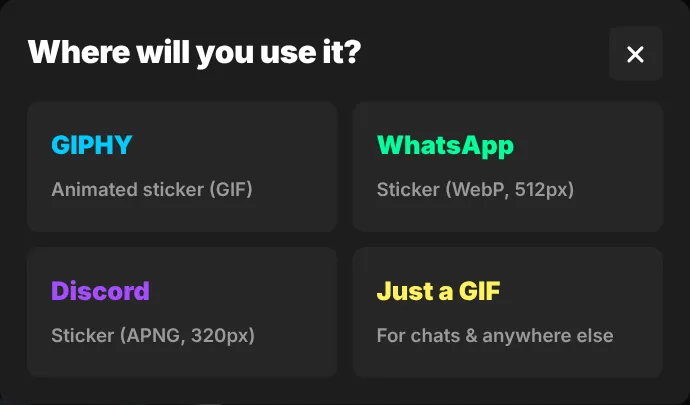
GifNoBg saves a 512×512 animated WebP and keeps it under 500 KB, which is WhatsApp's limit for animated stickers. If the clip is too long or detailed to fit, it lowers the frame rate or colours automatically.
Add it to WhatsApp
WhatsApp adds animated stickers in packs made by sticker apps. The usual way:
- Save the WebP from GifNoBg to your phone (on iPhone, save it to the Files app).
- Install a sticker-pack app that imports your own WebP files — search your app store for "WhatsApp sticker maker" or "WAStickerApps".
- Create a pack, add your sticker (WhatsApp packs need at least 3 stickers), and tap Add to WhatsApp.
WhatsApp's built-in sticker maker (the Create button in the sticker menu) turns still photos into stickers; for an animated sticker, use a pack app as above. WhatsApp changes these features from time to time, so check its help pages if something looks different.
Tips
- Keep the subject big in the frame — use Crop or Crop to the subject, since the sticker is shown small in chats.
- If the file is still too big, trim it shorter or choose Every 2nd frame under the timeline.
