Where can I use my transparent sticker? Every app at a glance
WhatsApp, Telegram, iMessage, Discord, Slack, Teams, Instagram Stories, TikTok and more: which format each app needs and how to add your GifNoBg sticker.
When you press Download sticker, GifNoBg asks where you'll use it and picks the right format and size for you. This page shows what each app accepts, so you know what to choose.
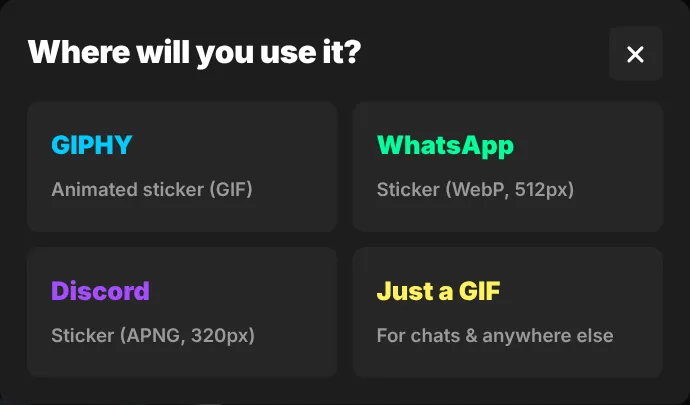
| App | What to choose in GifNoBg | How it's added |
|---|---|---|
| WhatsApp (512×512 animated WebP, under 500 KB) | Through a sticker-pack app: WhatsApp guide | |
| iMessage (iPhone, Mac) | Just a GIF | Send the GIF from Photos or Files: iMessage guide |
| Telegram | A still sticker: PNG of this frame | With Telegram's @Stickers bot: Telegram guide |
| Discord | Discord sticker (320×320 APNG) or Discord emoji | Server Settings → Stickers / Emoji: Discord guide |
| Slack | Slack emoji (128×128 GIF, under 128 KB) | Add custom emoji: Slack guide |
| Microsoft Teams | Just a GIF | Attach it in a chat: Teams guide |
| Instagram Stories, TikTok, Snapchat | GIPHY | Upload to GIPHY first: Instagram & TikTok guide |
| Websites, email, slides | Just a GIF (works everywhere) or WebP for websites | Insert it like any picture |
Not sure?
Choose Just a GIF. A GIF works in almost every app, email and website. Its edges are a little harder than WebP or APNG; see GIF, WebP or APNG for the differences.
Apps change their sticker rules from time to time. If an upload is refused, check the app's own help for its current size limit, then make the clip shorter or choose Every 2nd frame under the timeline to shrink the file.

Try it with your own videoFree, no sign-up, no watermark — and your video never leaves your device.
Make a sticker