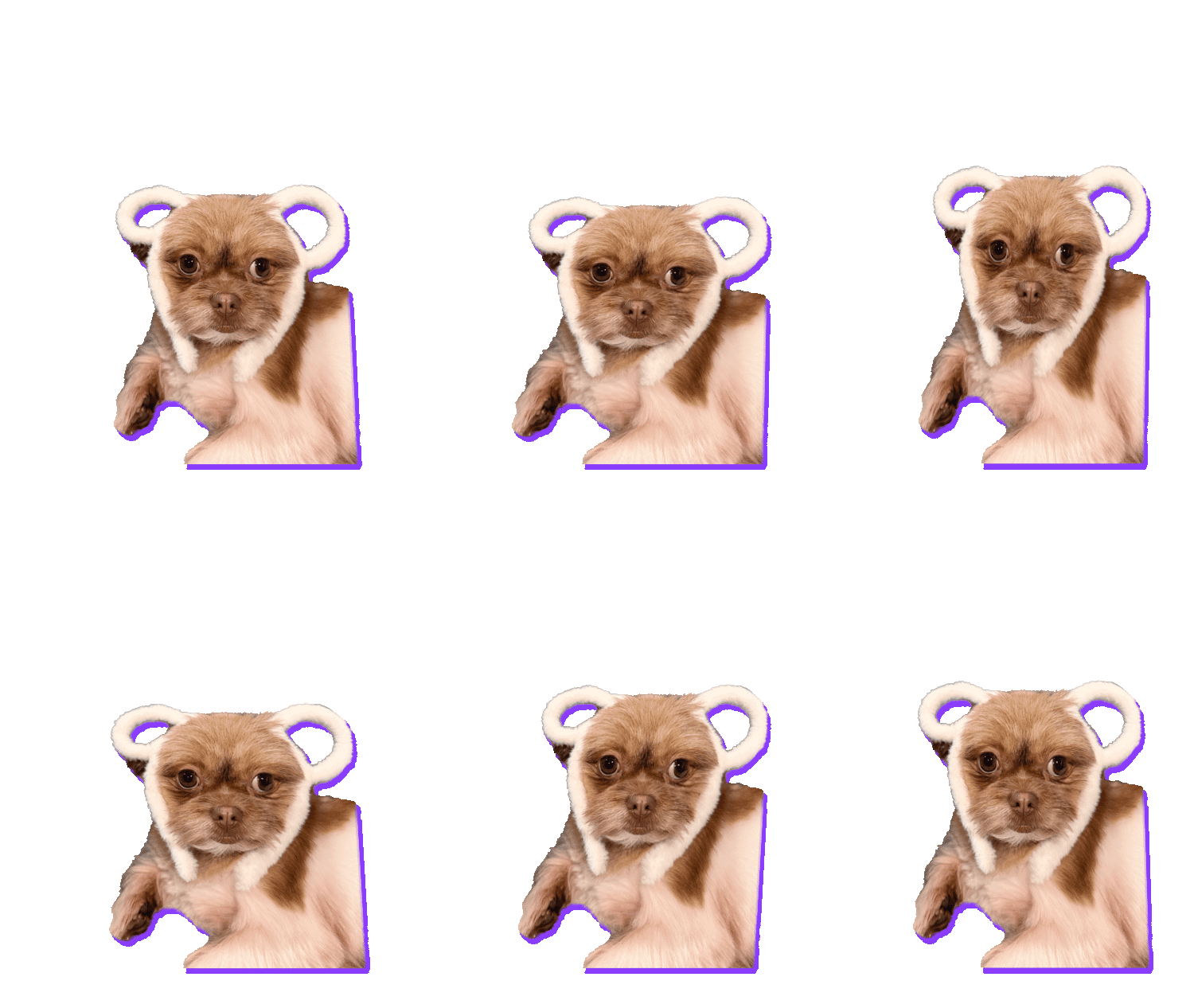
This is Boo. Boo owns a fluffy teddy-bear hat, and Boo has opinions about the fluffy teddy-bear hat. The face in this photo says everything Boo will never say out loud.
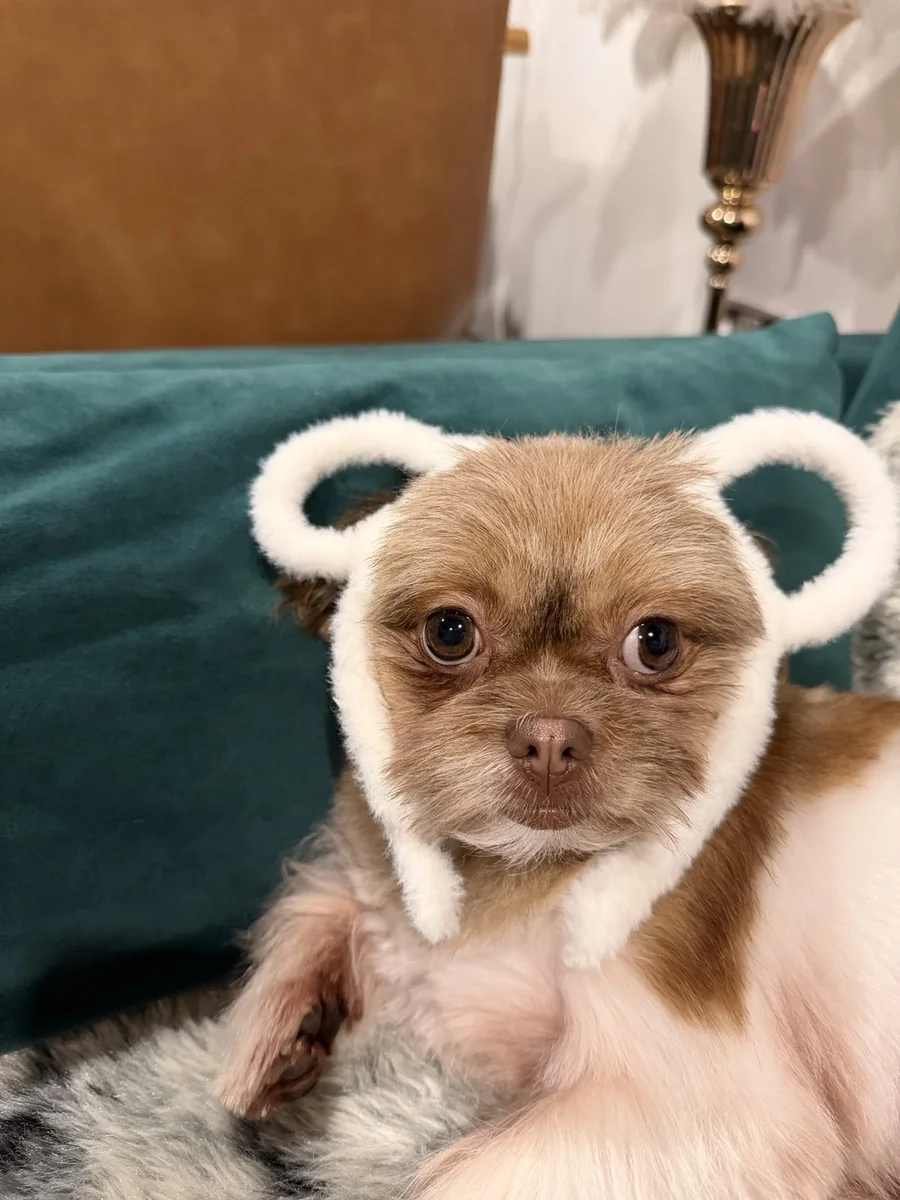
A photo this good deserved better than sitting in my camera roll. I wanted it as a sticker, the kind you fire into the family group chat whenever someone suggests something nobody wants to do. And I wanted it to move. Here’s how I did it in about two minutes, for free.
1. Open the photo
I went to GifNoBg and opened the photo. You don’t need a video: a regular JPG from your phone works. The photo never leaves your device; the AI runs right in the browser.
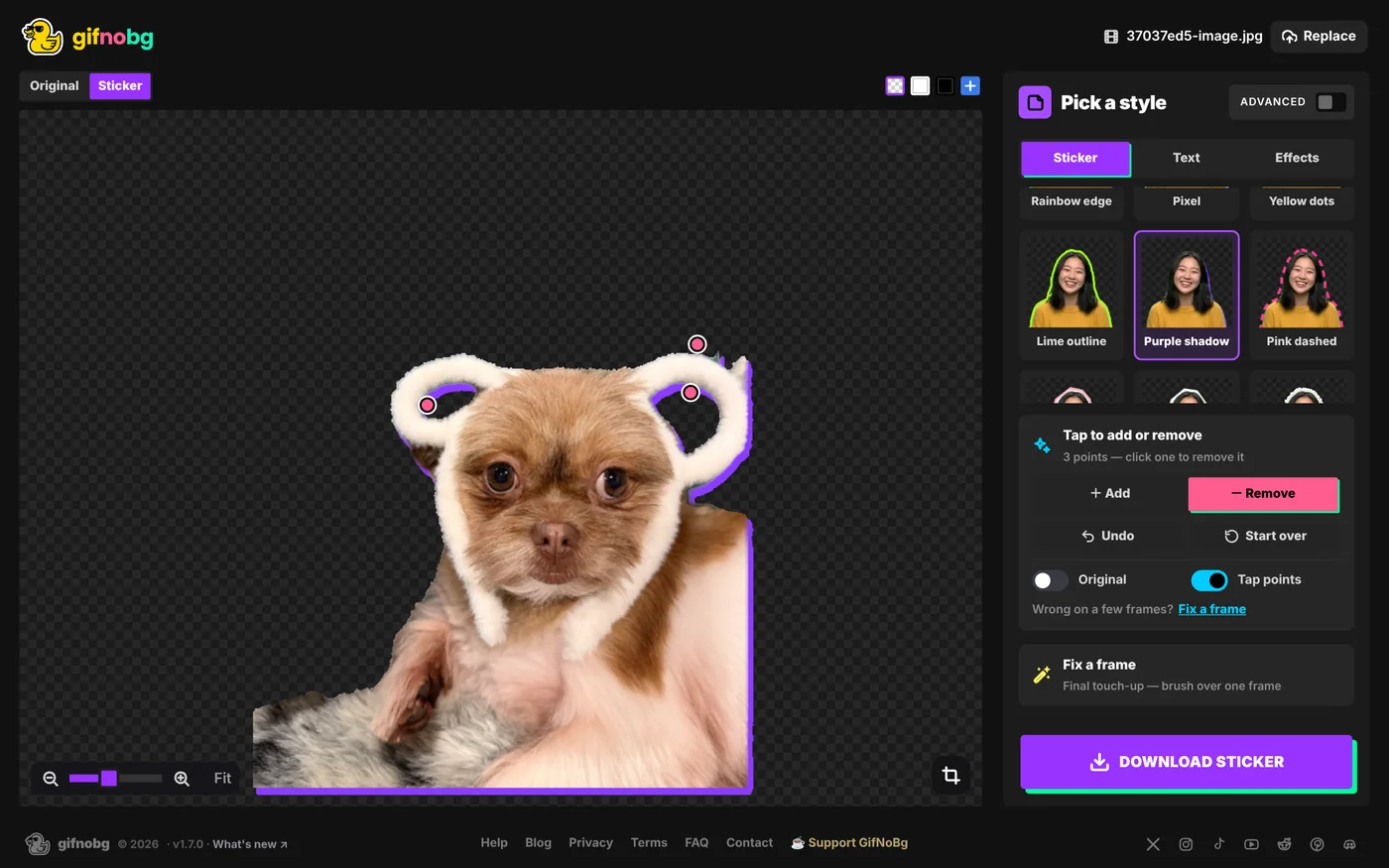
A few seconds later the background was gone. The sofa, the cushion and the lamp all vanished, and Boo was left on a see-through background.
2. Clean up the cut-out
The AI got almost everything right, but it kept a bit of green cushion showing through the gaps in the hat’s ears. Easy fix: I chose − Remove and tapped those green bits once each. Done.
help centreFix the cut-out: tap to add or removeSomething missing from your sticker, or a bit of background left over? Choose Add or Remove and tap it once — the fix follows that part throread the guide →3. Make it pop
A sticker needs an edge so it stands out on any chat background. I picked Purple shadow: a bold offset shadow that makes Boo look like a proper die-cut sticker.
4. Make a photo move
A still sticker is fine. A moving one is so much better. In the Effects tab I picked a gentle motion effect, and that turned the single photo into a smooth 2-second loop. Boo now sways ever so slightly, which somehow makes the judgemental stare even stronger.
help centreAdd an animated effect to your stickerGive your sticker a moving effect in one tap — 32 effects like Wave, Jelly, Rainbow, Glitch, VHS, Fire aura and Sparkles. Free, no watermarkread the guide →5. Save it for WhatsApp
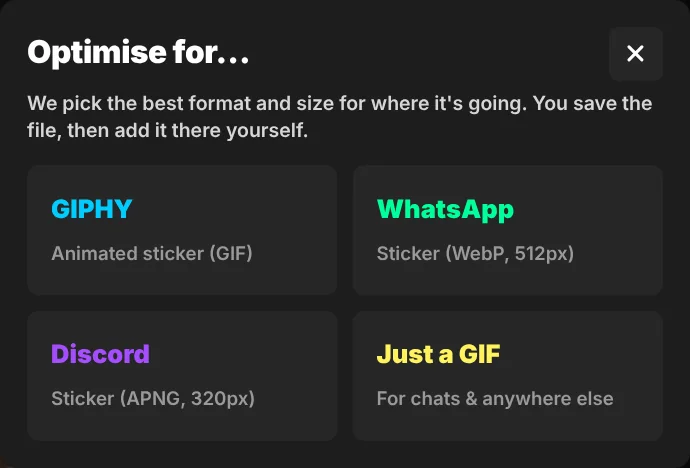
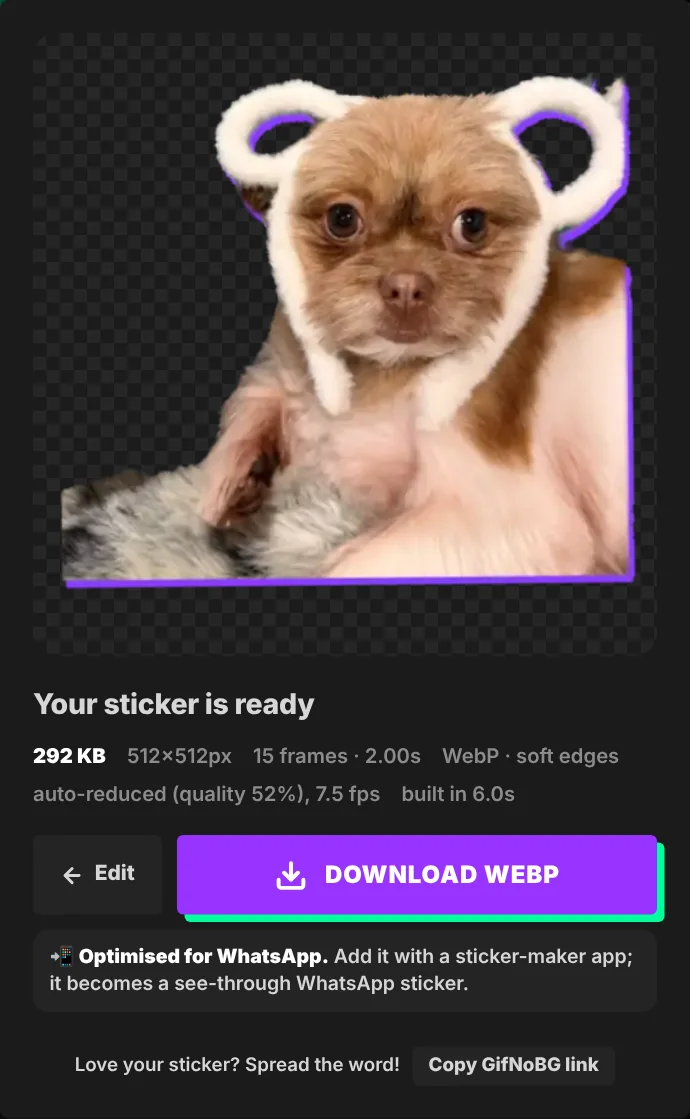
I pressed Download sticker and chose WhatsApp. GifNoBg handles the fussy part: WhatsApp wants a square 512 × 512 animated WebP under 500 KB, and that’s exactly what you get. Mine came out at 266 KB.
6. Add it to WhatsApp
WhatsApp adds animated stickers through sticker-pack apps. Search your app store for “WhatsApp sticker maker”, make a new pack, add the sticker and tap Add to WhatsApp. WhatsApp packs need at least 3 stickers, so this is a great excuse to make two more. Boo has plenty of faces.
On an iPhone, GifNoBg saves a GIF instead of a WebP (Safari can’t make WebP files), and the sticker-pack app converts it for you.
help centreMake an animated WhatsApp sticker from a videoTurn a short video into an animated WhatsApp sticker: GifNoBg removes the background and saves a 512×512 animated WebP that fits WhatsApp's read the guide →Tips for your own pet sticker
- Pick the face. The best pet stickers are all about the expression. Crop in close.
- Contrast helps. Boo on a dark green sofa cut out beautifully. A white dog on a white bed is harder (but tap to add or remove fixes most of it).
- Add words. A one-word caption like “no.” or “why” turns a cute photo into a reaction sticker.
- Make a set. Sleepy, judging, zoomies, begging. Your pet already has a whole sticker pack in them.