Make an animated Twitch emote
Turn a clip of you, your pet or your mascot into an animated Twitch emote with no background. GifNoBg saves exactly what Twitch asks for: a 112 × 112 GIF, up to 1 MB and 60 frames.
- Free
- No watermark
- No sign-up
- Your video never leaves your device
How to make a Twitch emote
- 1Drop your clipTrim it to 1–3 seconds. An emote is seen tiny, so one clear move works best: a wave, a nod, a jump.
- 2The AI cuts it outThe background goes on every frame. Tap anything it missed or kept by mistake; the fix follows through the clip.
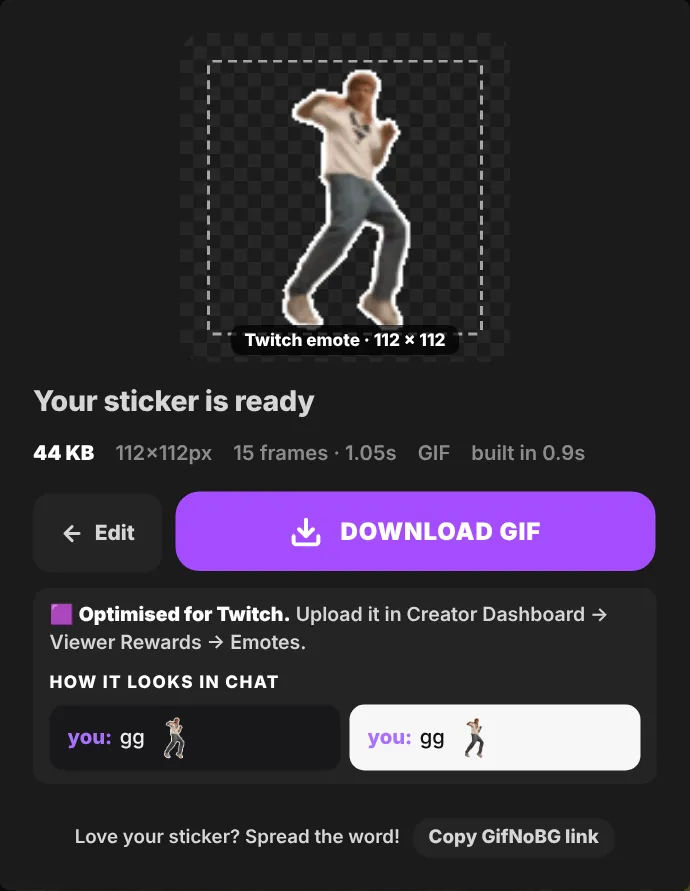
- 3Save for TwitchPick Twitch when you save. You get a 112 × 112 GIF under 1 MB and 60 frames, plus a preview of how it looks in chat.
What you get
Twitch animated emote rules
| Size | Exactly 112 × 112 pixels. Twitch makes the smaller sizes from it. |
|---|---|
| File | A GIF, up to 1 MB |
| Frames | At most 60. If yours has more, some are left out evenly so it still plays at the same speed. |
| Who can upload | Animated emotes are for Twitch Affiliates and Partners |
| Where to add it | Creator Dashboard → Viewer Rewards → Emotes (the menu names can change) |
Small, square and still readable
A Twitch emote has to work at a tiny size next to chat messages. That’s why the best emotes are a face or a single object with one clear move, cut out from its background so it sits right in the chat.
GifNoBg does the fiddly parts for you. The AI removes the background from every frame, the clip is fitted into the 112 × 112 square without stretching, and the frames and colours are kept within Twitch’s 1 MB and 60-frame limits. After you save, How it looks in chat shows the emote at its real size in a dark and a light chat, so you can check it still reads.
Already made an animation in another GifNoBg app? In the GIF Maker, Effecto, Puppet, Wiggle, Morph or Video to GIF, open Save and tap Ready for: Twitch emote. The Twitch help article walks through both ways.
Tips for Twitch emotes
Made with GifNoBg


Questions
How do I make an animated Twitch emote?
Drop a short clip above, let the AI remove the background, trim it to a second or two and save it for Twitch. Then upload the GIF in Creator Dashboard → Viewer Rewards → Emotes.
What size should a Twitch emote be?
An animated emote is a GIF of exactly 112 × 112 pixels, up to 1 MB and at most 60 frames. GifNoBg makes exactly that.
Can anyone upload animated emotes?
Animated emotes are for Twitch Affiliates and Partners. You can still make the GIF here first and keep it ready.
My clip has more than 60 frames. What happens?
Some frames are left out evenly, so the emote still plays at the same speed. For the smoothest result, keep it short.
Is my video uploaded?
No. The background is removed in your browser, on your device.
Is it free?
Yes, with no sign-up and no watermark.
Learn more
More free tools
Ready? It takes a minute or two.
Make a sticker