Make an animated WhatsApp sticker
Turn a video of your friend, your kid or your dog into an animated WhatsApp sticker with no background. GifNoBg saves the format WhatsApp uses: a 512 × 512 animated WebP under 500 KB.
- Free
- No watermark
- No sign-up
- Your video never leaves your device

How to make a WhatsApp sticker
- 1Drop your videoStraight from your phone’s gallery or your computer. WhatsApp stickers can be up to 10 seconds, but 2–4 seconds works best.
- 2The AI cuts it outThe background disappears from every frame. Add a white outline for the real sticker look.
- 3Save for WhatsAppPick WhatsApp when you save. You get a 512 × 512 animated WebP under 500 KB, then add it with a sticker-pack app.
Before and after
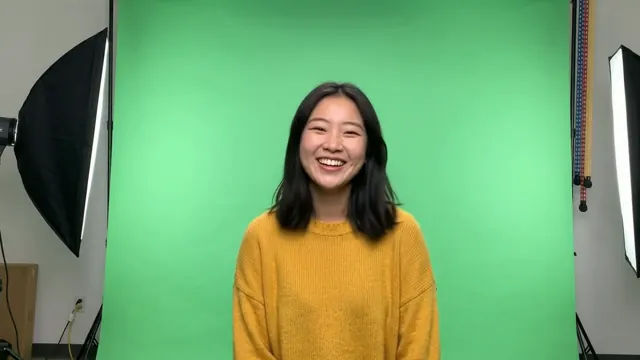
What you get
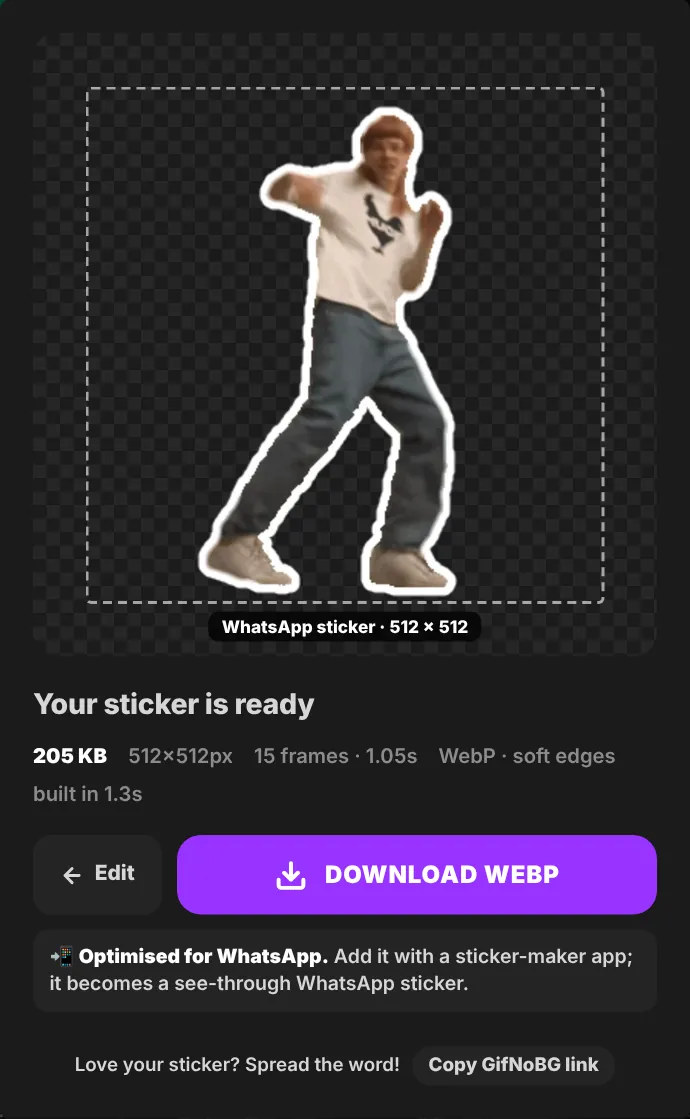
What WhatsApp needs for an animated sticker
| Size | 512 × 512 pixels, square |
|---|---|
| File | Animated WebP with a see-through background, under 500 KB |
| Length | Up to 10 seconds. 2–4 seconds looks best and fits more easily. |
| Packs | Animated stickers are added in packs made by sticker apps, with at least 3 stickers per pack |
| On iPhone | Safari can’t create WebP files, so GifNoBg saves a 512 × 512 GIF there. A sticker-maker app turns it into a WhatsApp sticker. |
From a video on your phone to a sticker in the chat
WhatsApp’s own Create button turns still photos into stickers, but an animated sticker needs a moving picture with no background. That’s the hard part, and it’s what GifNoBg does: the AI cuts your subject out of every frame, right in your browser.
When you save for WhatsApp, the sticker is made 512 × 512 and kept under the 500 KB limit. If the clip is too long or detailed to fit, the frame rate or colours are lowered automatically. Save the file to your phone, open a sticker-pack app (search your app store for “WhatsApp sticker maker”), add it to a pack and tap Add to WhatsApp.
Don’t send a GIF straight into the chat if you want it see-through: WhatsApp turns a GIF into a video and the transparent background is lost. The WhatsApp help article has the full steps, with pictures.
Tips for WhatsApp stickers
Made with GifNoBg


Questions
How do I make an animated WhatsApp sticker from a video?
Drop the video above, let the AI remove the background, trim it to a few seconds and save it for WhatsApp. Add the file to a sticker-pack app and tap Add to WhatsApp.
What size is a WhatsApp sticker?
512 × 512 pixels. Animated stickers are WebP files under 500 KB, which is what GifNoBg saves when you pick WhatsApp.
Why do I need a sticker app?
WhatsApp adds animated stickers in packs, and packs are made by sticker apps. WhatsApp’s own Create button makes still stickers from photos only.
Why is my sticker a GIF on iPhone?
Safari can’t create WebP files, so on an iPhone GifNoBg saves a 512 × 512 GIF. A sticker-maker app turns that GIF into a WhatsApp sticker.
Is my video uploaded?
No. It never leaves your phone or computer: everything happens in your browser.
Is it free?
Yes, with no sign-up and no watermark.
Learn more
More free tools
Ready? It takes a minute or two.
Make a sticker