Ask anyone who's ever made a GIF where they did it, and there's a good chance the answer is Ezgif. It's been the internet's GIF workbench for years, and it deserves the love. So why are we, the people behind GifNoBg, writing about it? Because the two are built for different moods. One is a toolbox. The other is a playground. Here's the honest comparison, with real screenshots and one very buff French bulldog.
Ezgif: the toolbox with every drawer labelled
Open Ezgif and you get rows of tools: GIF maker, video tools, audio, transform, optimise, effects, split, add text, and converters for WebP, APNG, AVIF, JXL, SVG and now even PDF. Ezgif describes itself as a simple, free online GIF maker and toolset for basic animated image editing, and that's exactly what it is: a huge, precise, no-nonsense set of tools. Want to drop every 3rd frame, set the loop count, or squeeze a GIF with a lossy setting? There's a page for that.
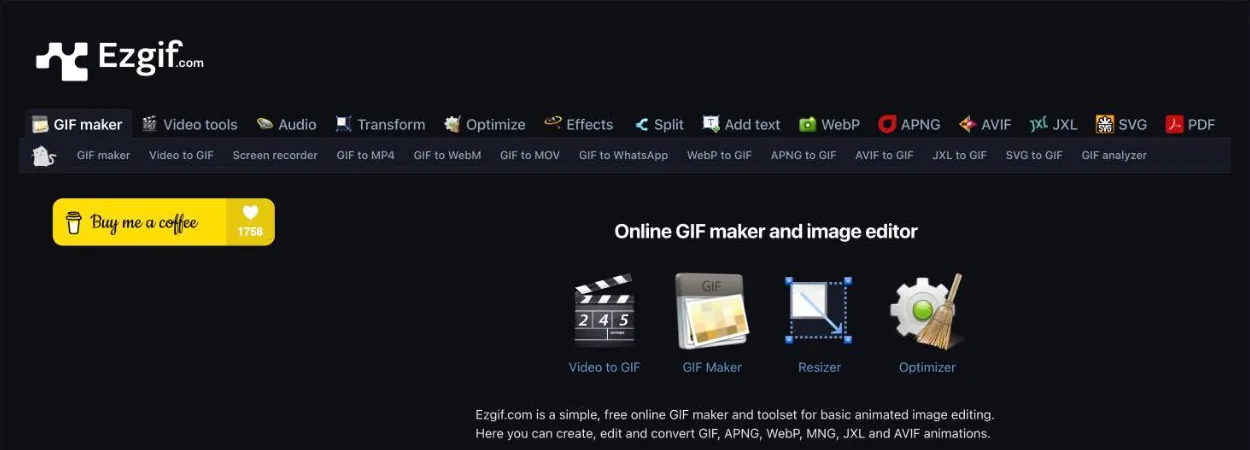
It keeps getting better, too: many tools now have a local processing option that works in your browser, and the background remover takes files up to 200 MB. If you know exactly what you want to do to a file, Ezgif is brilliant.
GifNoBg: where the fun is
GifNoBg started from a different question: what do people actually want to make? Mostly, it's something to send. A sticker of their dog. Their friend's face on a dancing body. A reaction GIF with glitter on it. So instead of one tool per file operation, GifNoBg is a set of small apps, each one a finished idea:
- GifNoBg cuts the person, pet or thing out of a video, GIF or photo and turns it into a sticker, with outlines, animated text and effects.
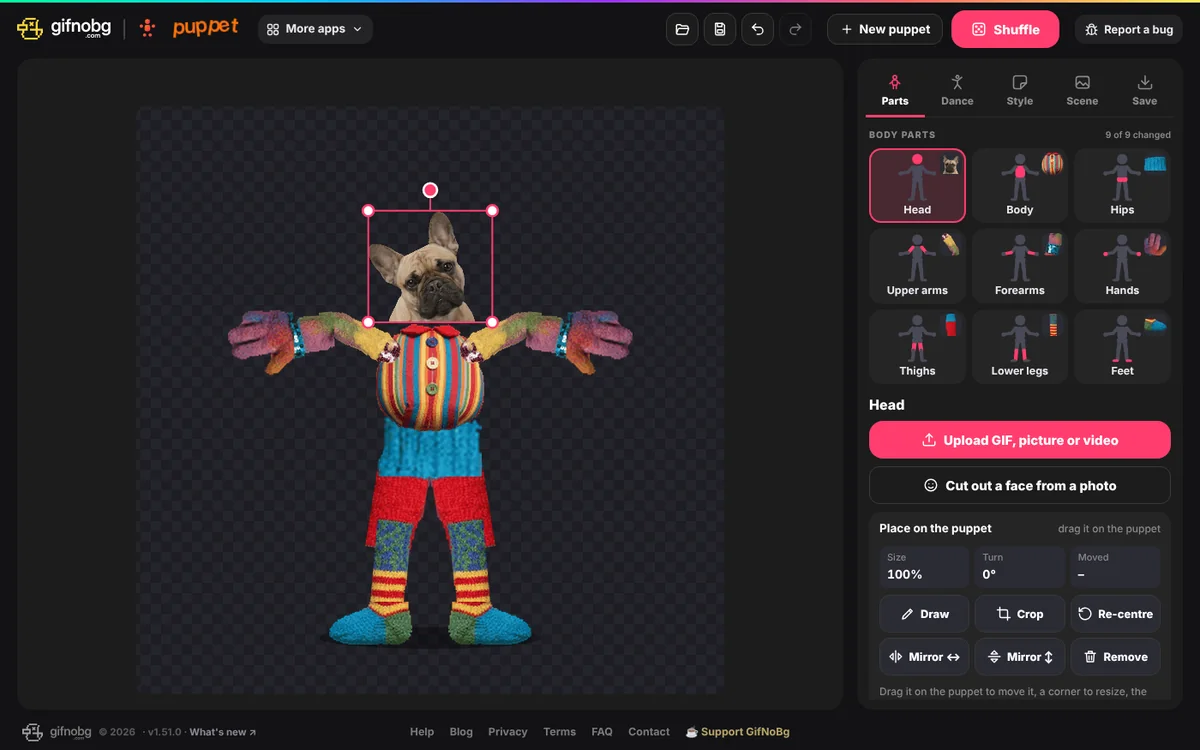
- Puppet builds a dancing ragdoll out of any pictures and makes it do the Griddy.
- Morph melts one picture into another. Wiggle makes a still photo jiggle. Effecto adds glitter, VHS, hearts and 100 more effects. GIF Maker turns pictures into an animation.
- And the useful ones: Upscala, Squeeze, Video to GIF and Extract Frames.
Everything runs on your device, with no sign-up, no watermark, and nothing uploaded. It's newer, it looks fresher, and it's built to get you from "ha, what if…" to a file in your chat in a couple of minutes.
The test: a dancing bulldog on a street
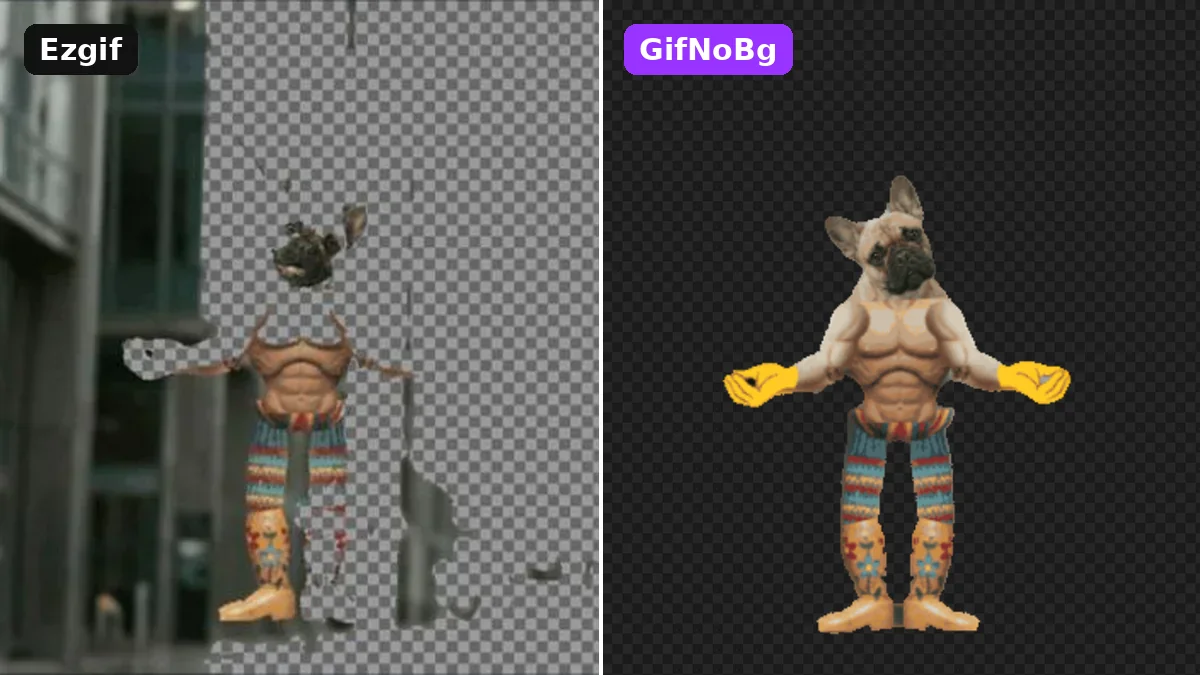
Background removal is where the two really differ, so we gave both the same animated GIF: our dancing bulldog puppet, made in Puppet, on a photo of a city street. (We put him there ourselves, so both tools get exactly the same file.) A real street is a normal background for a clip off your phone: buildings, windows, a pale sky, cars in the distance.
Ezgif removes backgrounds by colour. You pick a method (a global colour key, a magic-wand flood fill from the edges, a chroma key, or a brightness matte), a background colour, and a fuzz setting that decides how close a shade has to be to count as background.
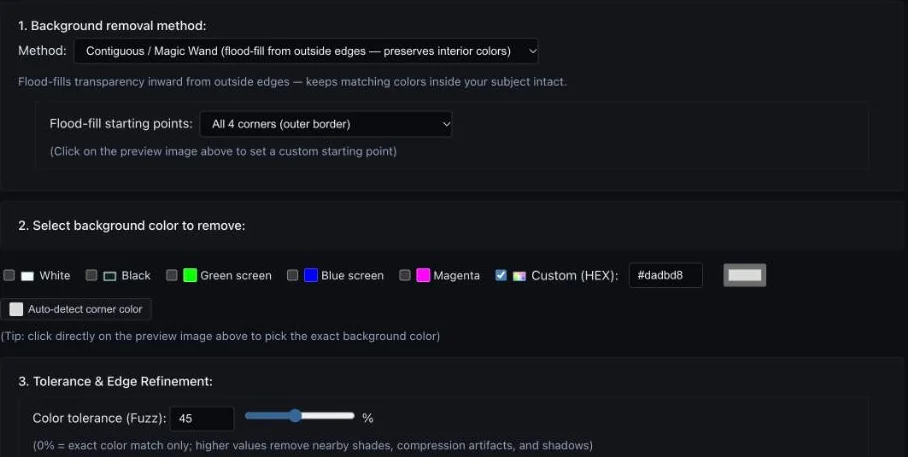
We used the magic wand, which starts from the edges and works inwards. At 20% fuzz it took away the pale sky and stopped: the buildings are too many different colours.
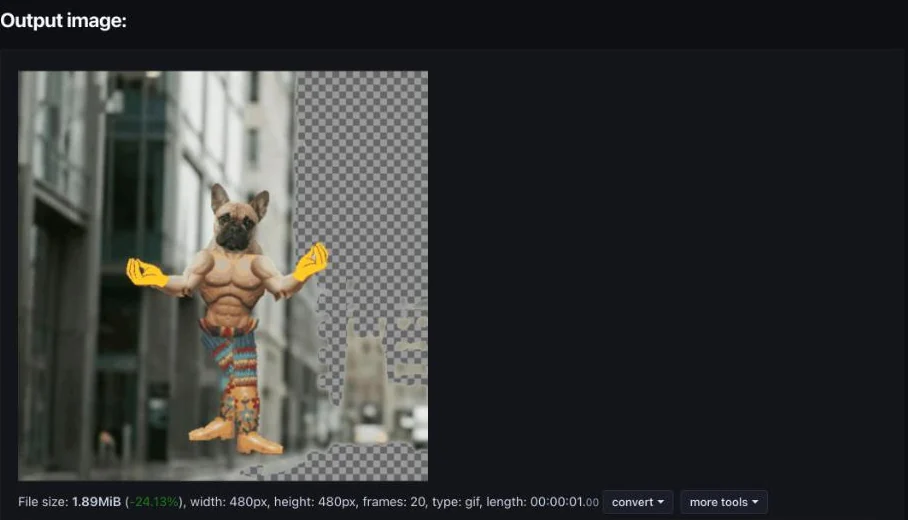
So we turned it up to 45%. More of the street went, but so did most of the bulldog: his head, an arm, half his legs. Some of the street is still there. That's not Ezgif doing anything wrong; it's what colour matching does when a background has many colours and shares some of them with the subject.
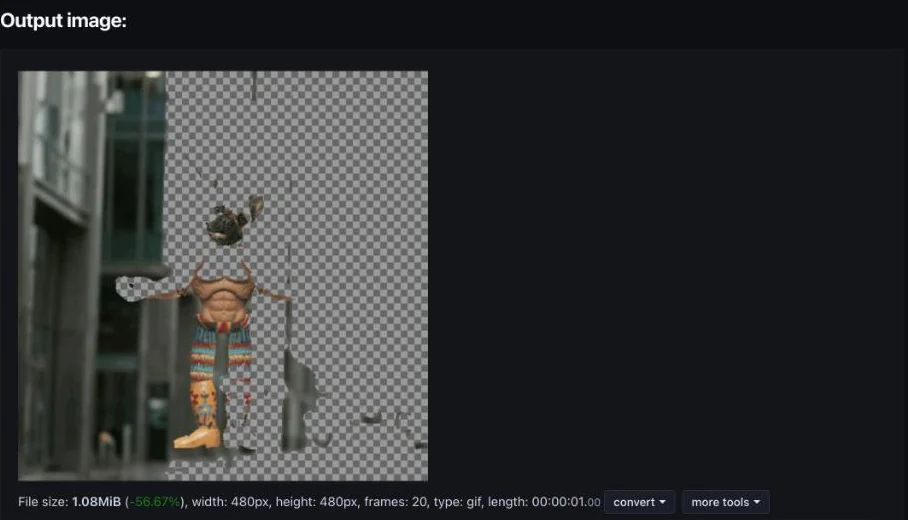
GifNoBg doesn't look at colours at all. Its AI finds the subject in every frame and removes everything else. We dropped the GIF in and changed nothing:
The AI removed the whole street on its own and kept every bit of the bulldog, frame after frame. A few grey slivers of street were left where they peek through, by his waist and between his legs, so we finished it the way you would: three taps on Remove, then Fix a frame with a small brush on the frames that still had a grey edge. A few minutes later, not a speck of street was left on any frame.
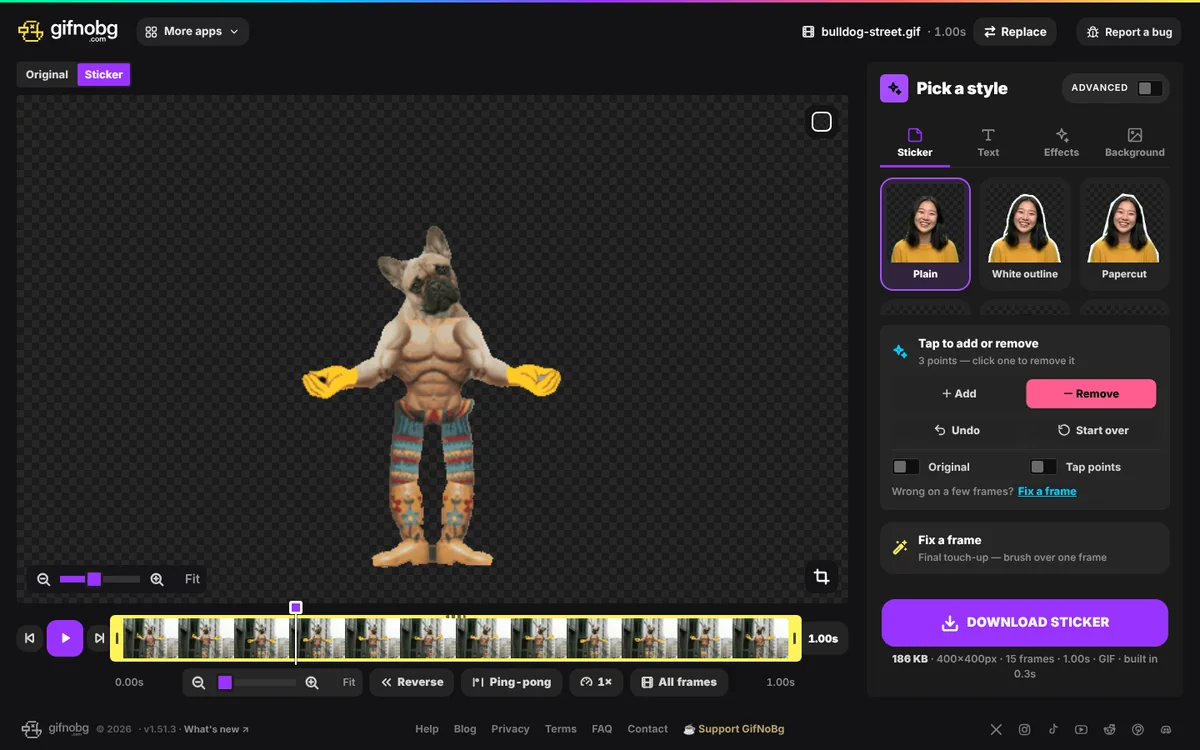
That's because GifNoBg's background removal isn't a generic cut-out. It's tuned for exactly this job: people, pets and things that move, followed frame by frame through a video or GIF, with the edges cleaned up so they look good with a sticker outline.
Want another one? We ran a real dancing GIF with a busy living-room background through both in Ezgif vs GifNoBg: which removes a GIF background better?
And then the fun part
Here's the bigger difference. In GifNoBg the cut-out isn't the end; it's the start. One tap on White outline and our bulldog is a sticker:
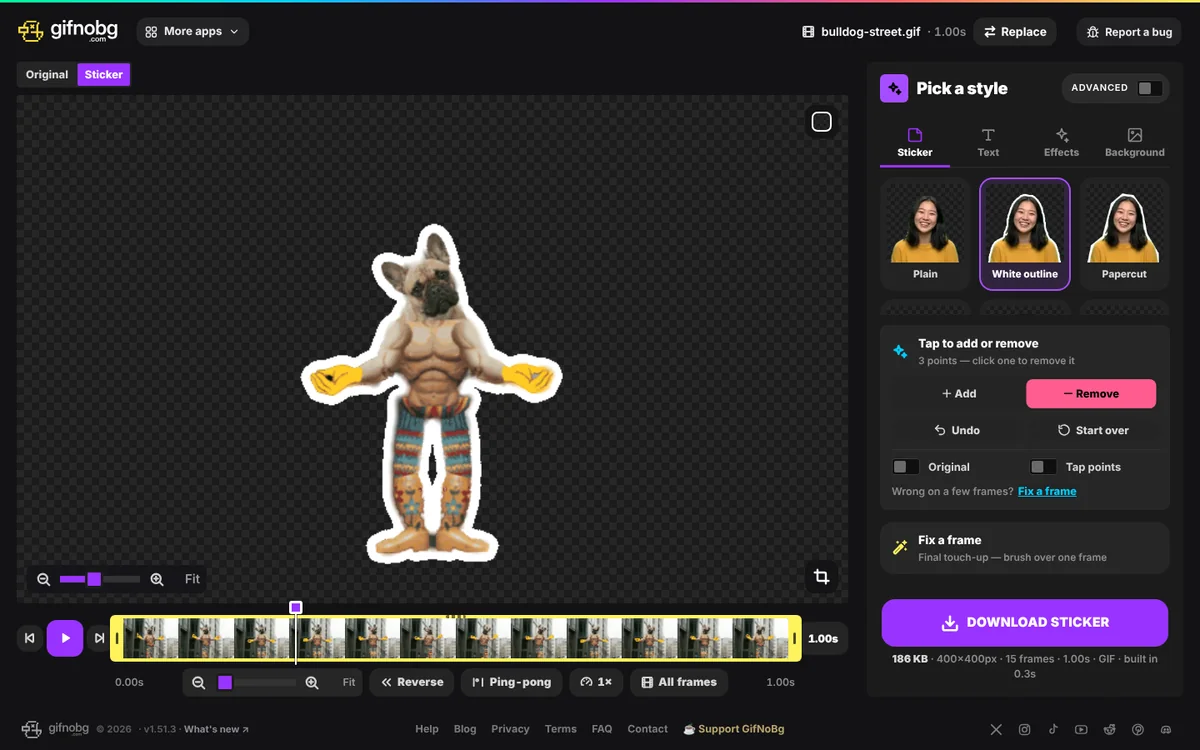
From there you can add animated text, glitter or a laser-eye effect, drop him on a new background, or save him straight in the right size for WhatsApp, Discord or GIPHY. Or open Puppet, where he was born, and build the next one.
So which one?
- Use Ezgif when you know the exact operation you need: resize to 437 pixels, cut frames 12 to 40, change the loop count, convert to AVIF. Or when the background really is one flat colour, like a green screen.
- Use GifNoBg when you want to make something: a sticker, a dancing puppet, a morph, a glittery reaction. And whenever the background is a real photo or video.
Ezgif is the toolbox you keep in the garage. GifNoBg is the party in the living room. You'll probably want both.
Free, no sign-up, no watermark, and nothing leaves your device. Make your first sticker.