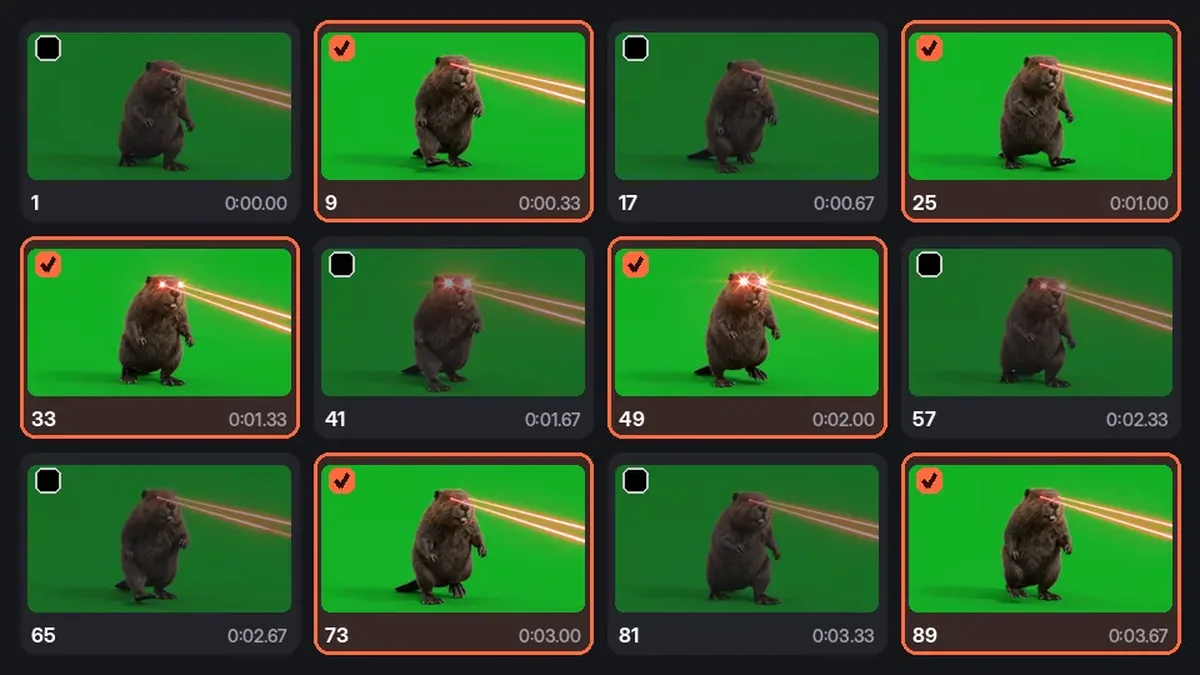
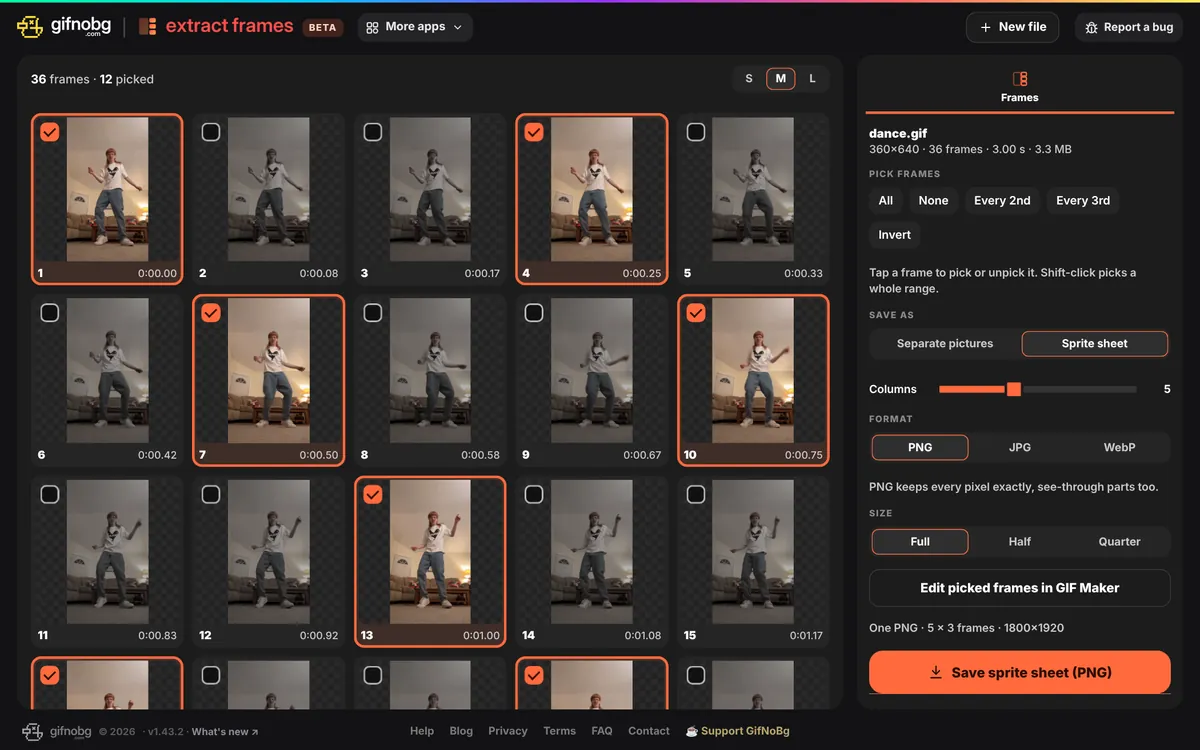
Ever wanted just one moment of a GIF? The perfect face for a profile picture, a still for a thumbnail, or every frame to edit one by one? That's what Extract Frames does. Drop in a GIF, an animated WebP or PNG, or a video, and you see every single frame with its number and time.
Find it under More apps → Utilities next to the logo, or go straight to gifnobg.com/extract-frames.
Pick what you need
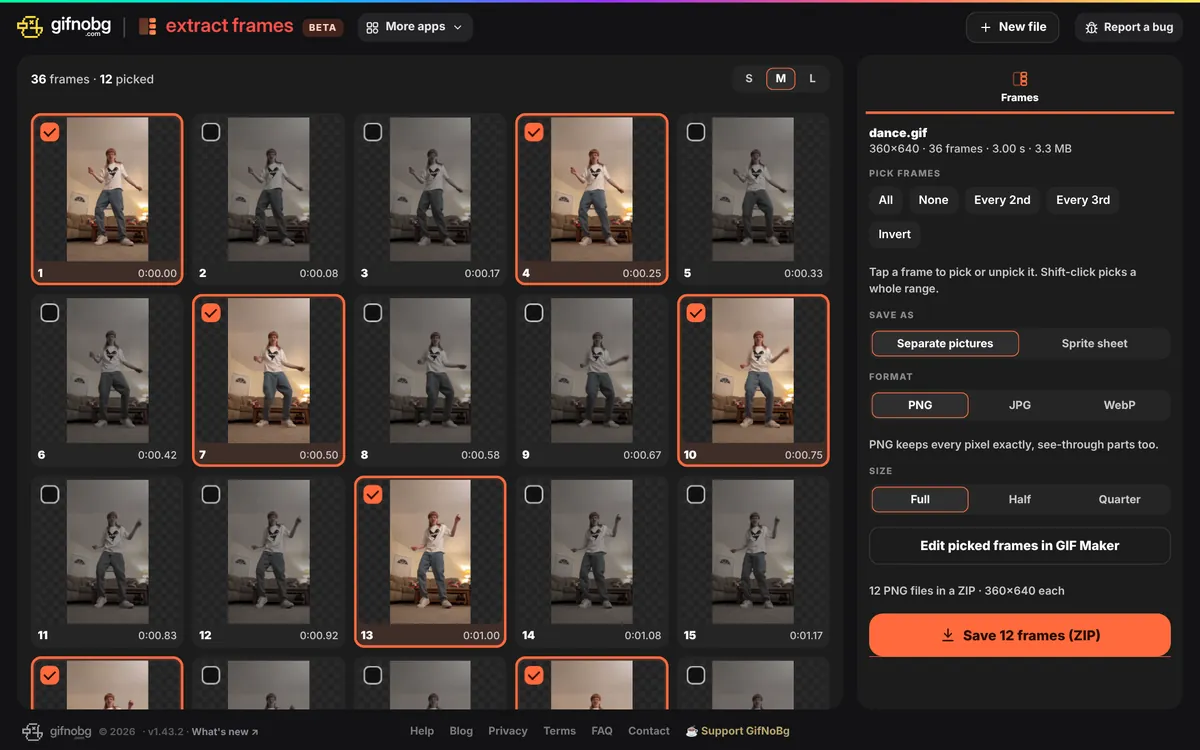
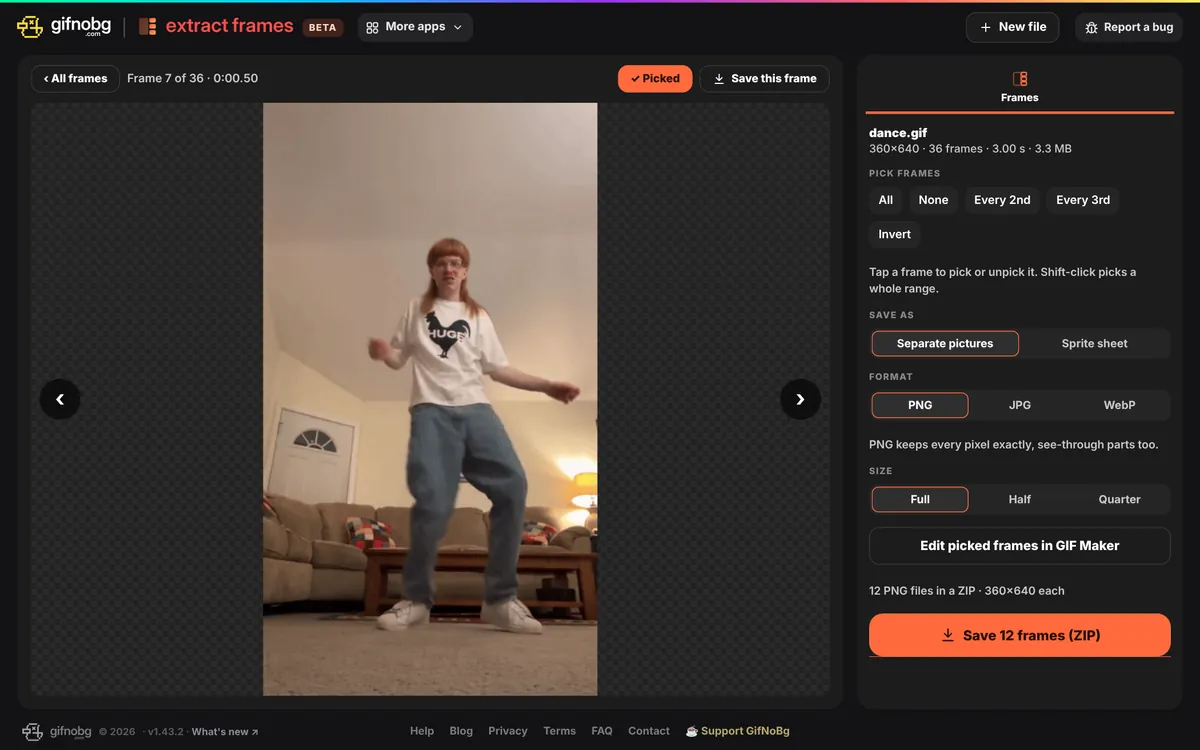
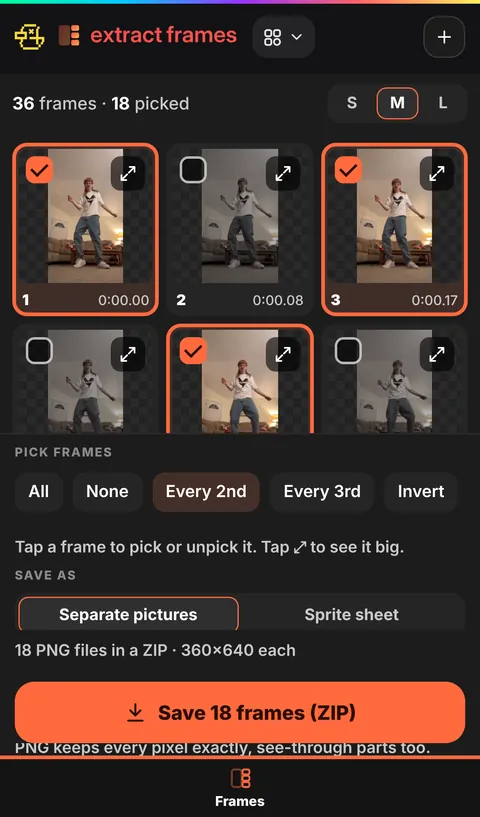
All frames start picked. Tap to pick or unpick, or let one button do it: All, None, Every 2nd, Every 3rd or Invert. On a computer, shift-click picks a whole range. Tap ⤢ to see a frame big and step through them with the arrows until you find the perfect moment.
Pictures or a sprite sheet
Save the picked frames as PNG, JPG or WebP pictures in one ZIP, at full, half or quarter size. Or put them all in one sprite sheet: the frames in rows and columns in a single picture, the way games and websites play animations.
Videos too
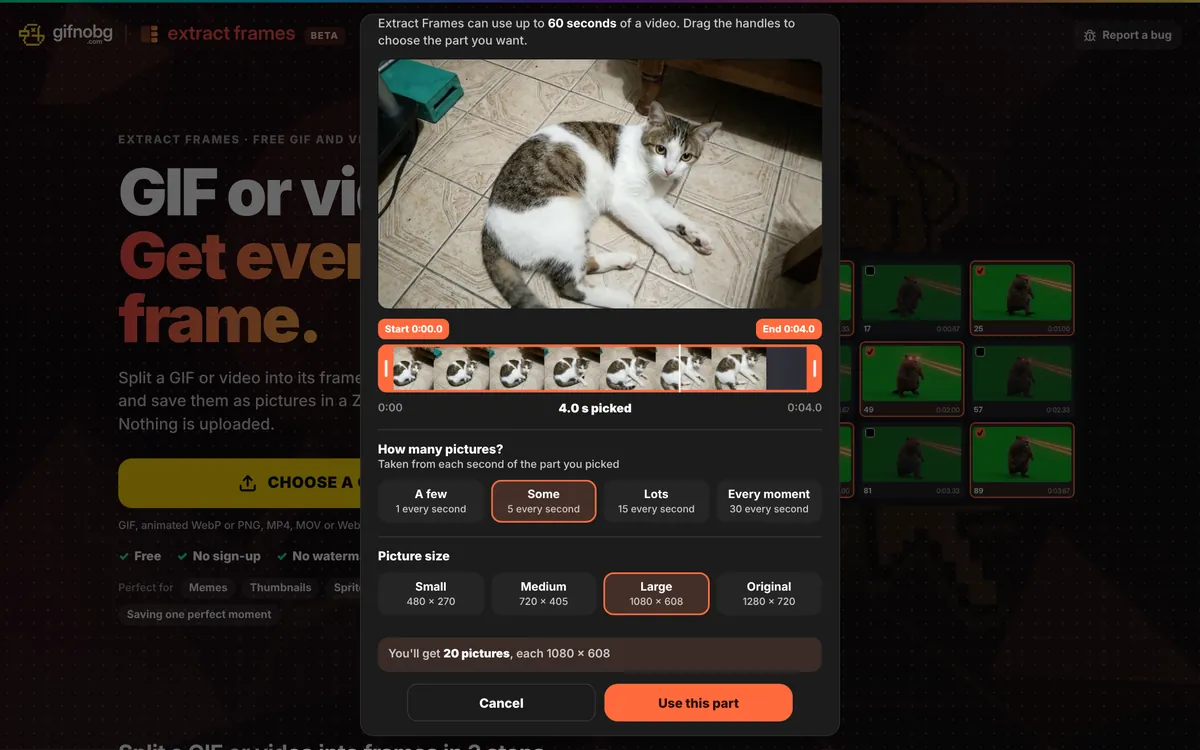
Open an MP4, MOV or WebM and pick up to 60 seconds. Then choose how many pictures you want, from A few (one every second) to Every moment (30 every second), and how big they should be. Before you start, it tells you exactly how many pictures you'll get.
And back again
Picked a few frames you'd like to turn into a new GIF? Tap Edit picked frames in GIF Maker and they open in the GIF Maker with their timing, ready for text, stickers and effects. Broken GIFs open too: Extract Frames keeps every frame it can read.
As always: free, no watermark, no sign-up, and your files never leave your device. Try Extract Frames now.