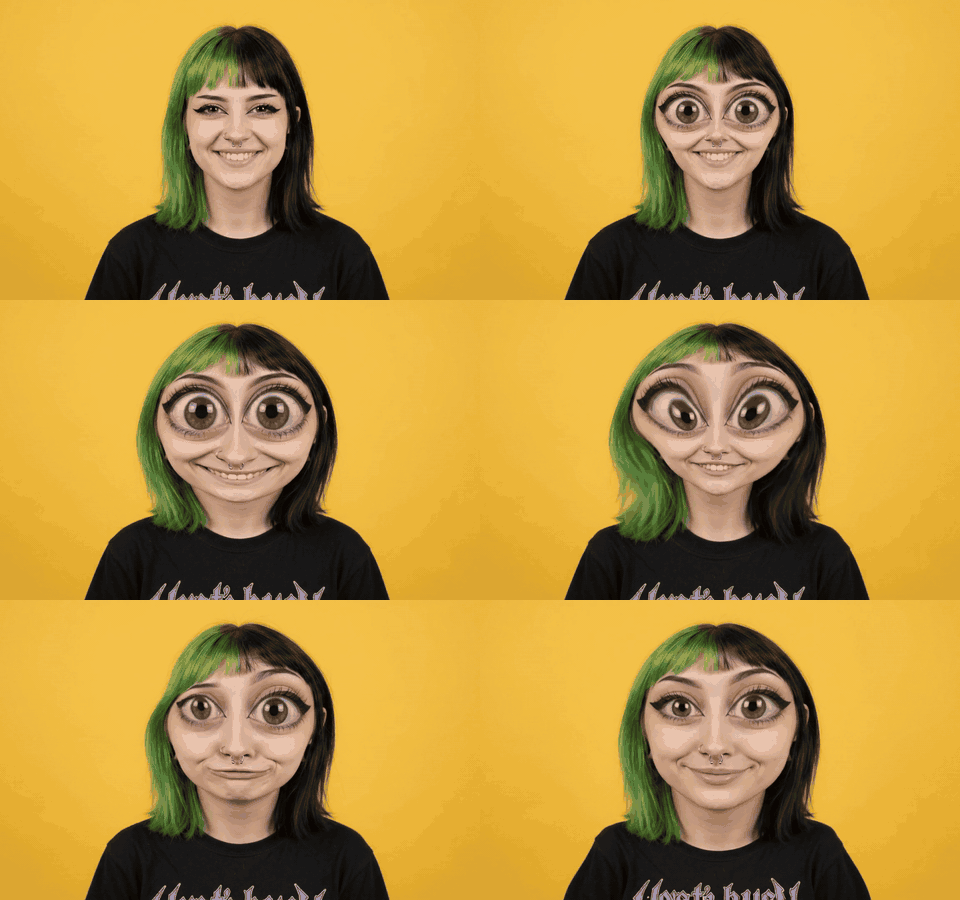
Some photos are fine as they are. Others are begging for bigger eyes, a giant head or a face that slowly melts. That’s what Wiggle is for. Choose one picture, paint on it, and it starts to move. Then save it as a GIF, a WebP or a video.
Find it under More apps next to the logo, or go straight to gifnobg.com/wiggle.
One tap, one ridiculous face
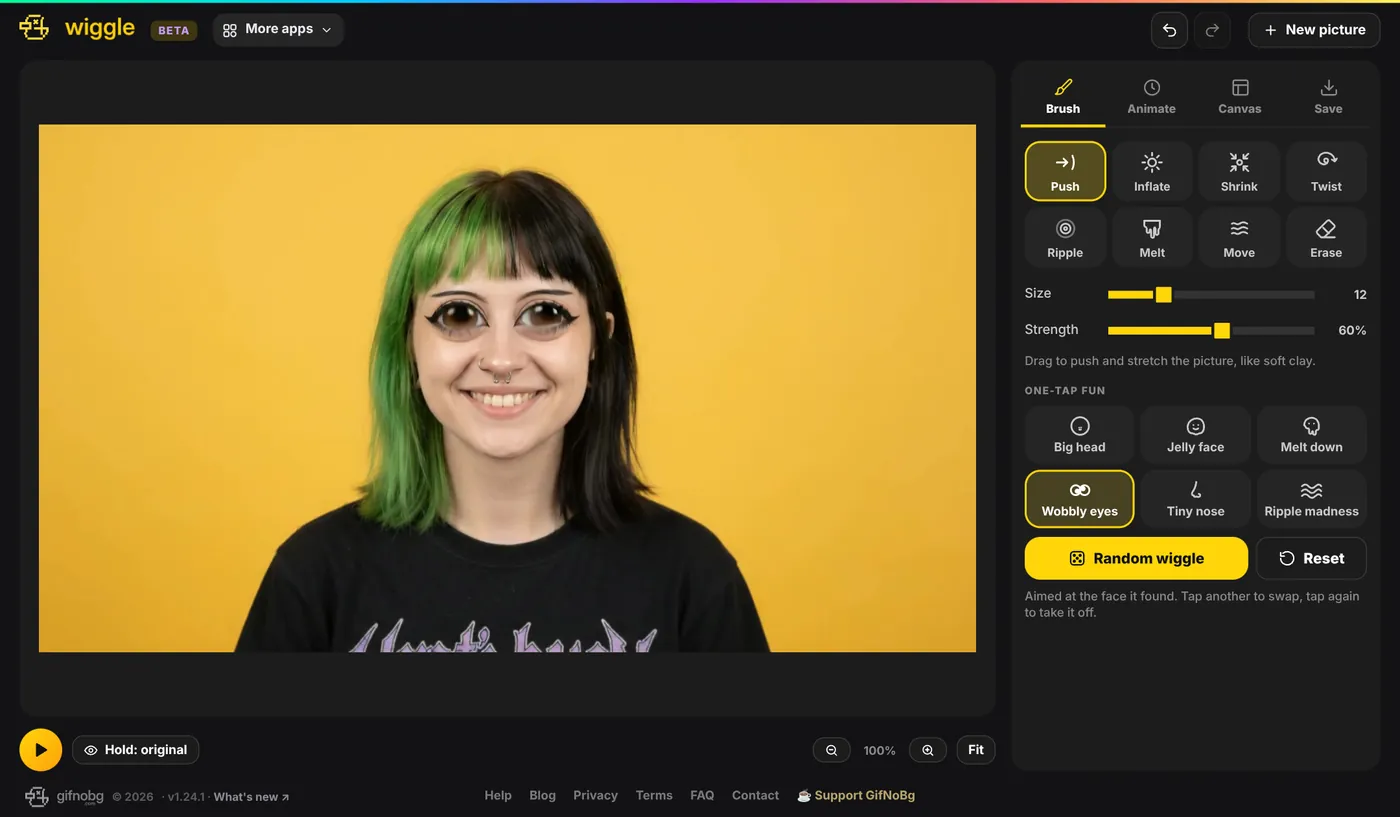
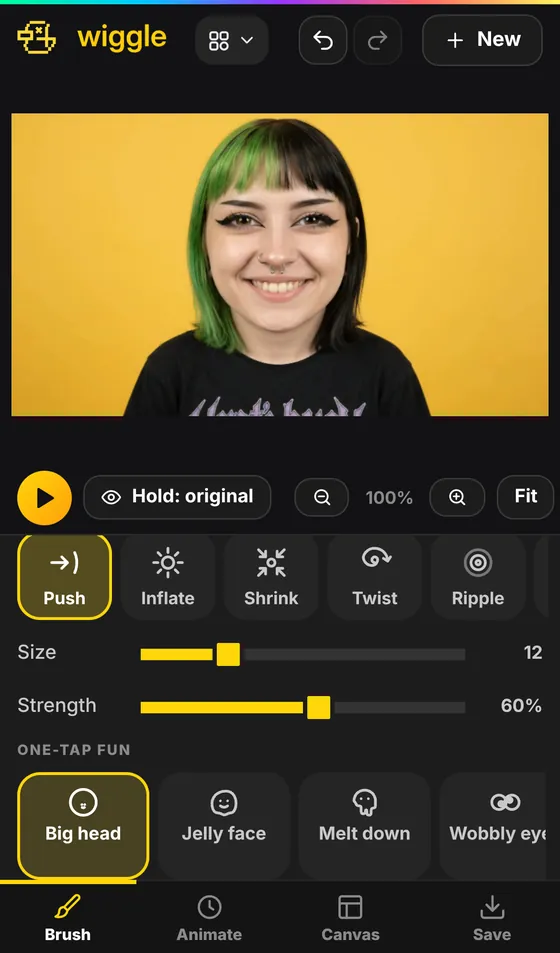
Wiggle finds the face in your photo, right on your device, so the One-tap fun buttons land where they should: Big head, Jelly face, Melt down, Wobbly eyes, Tiny nose and Ripple madness. Tap another to swap, tap the same one again to take it off, or hit Random wiggle and let it surprise you.
help centreMake your pictures wigglePaint on any photo to stretch, puff up, twist or melt it, then make it wobble and save a looping GIF, WebP, APNG or MP4. Free, no sign-up, nread the guide →Or paint it yourself
- Push the picture around like soft clay.
- Inflate or Shrink any part: cheeks, noses, a dog’s ears.
- Twist it into a swirl, add Ripples, or Melt it down.
- Paint motion with Move, so hair or water sways while the rest stays put.
- Erase what you don’t like, or undo it.
Then pick how it moves: Bounce, Elastic, Jelly, Pulse, Wave or Pendulum. Every motion loops without a jump, so the GIF repeats smoothly. Add a little Shake or a Motion echo trail if you like.
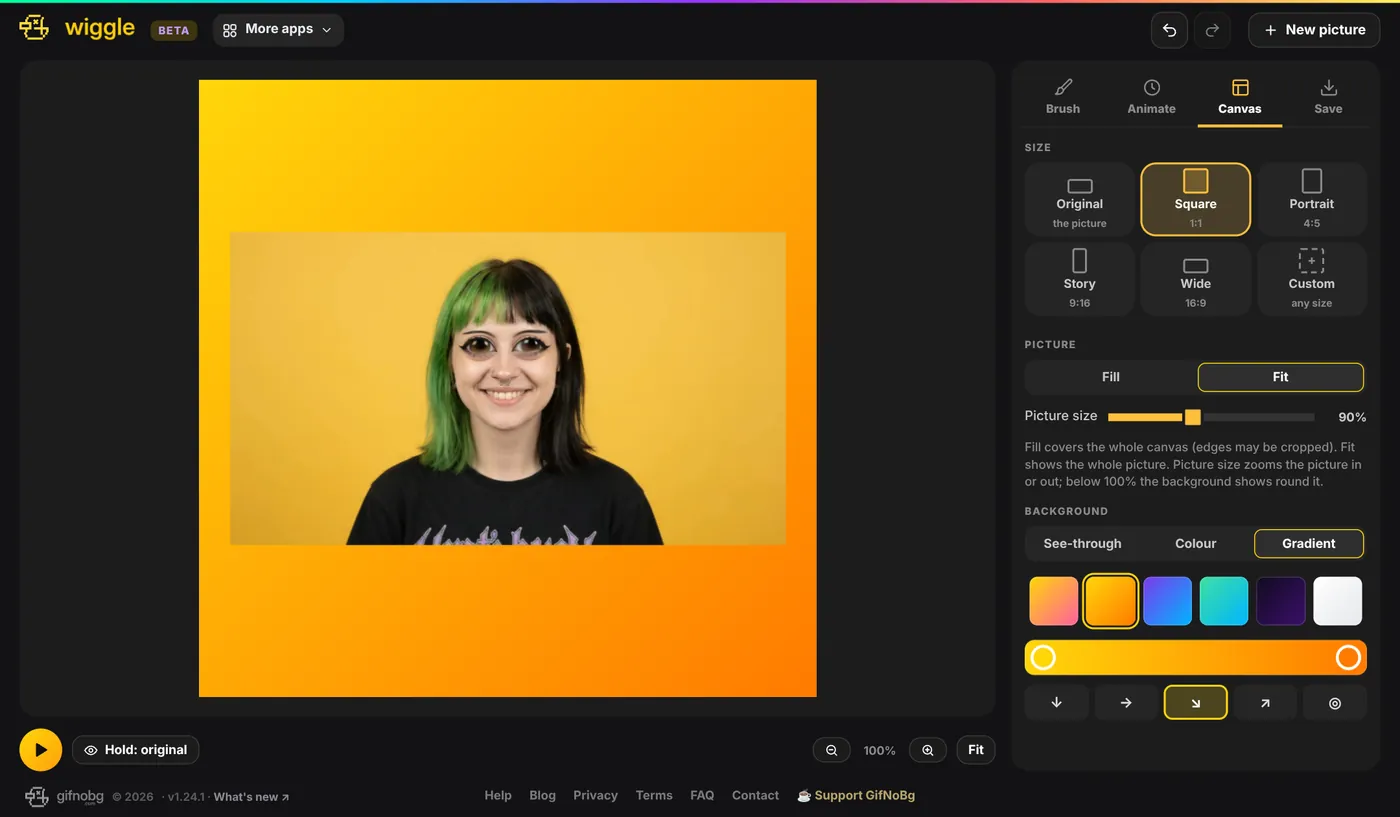
Save it anywhere
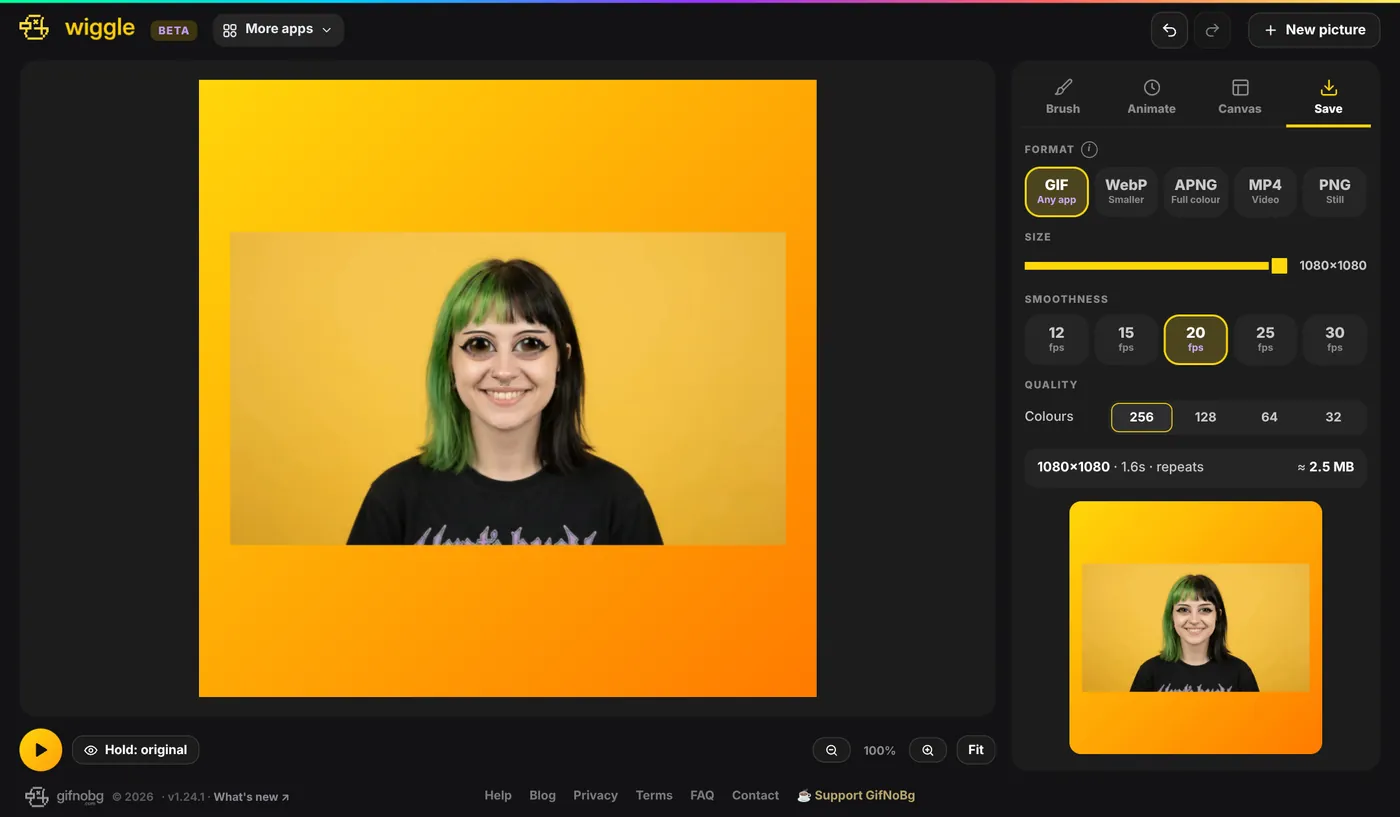
Save a GIF for any chat, a smaller WebP, a full-colour APNG, an MP4 for Reels and TikTok, or a still PNG.
On your phone too
One finger paints, two fingers zoom and move around. The brushes and settings sit at the bottom, so the picture stays in view.
Tell me what you think
If a face isn’t found, or there’s a brush you’d love, tell me on the contact page. I read everything.
As always: free, no watermark, and your pictures never leave your device. Try Wiggle now.