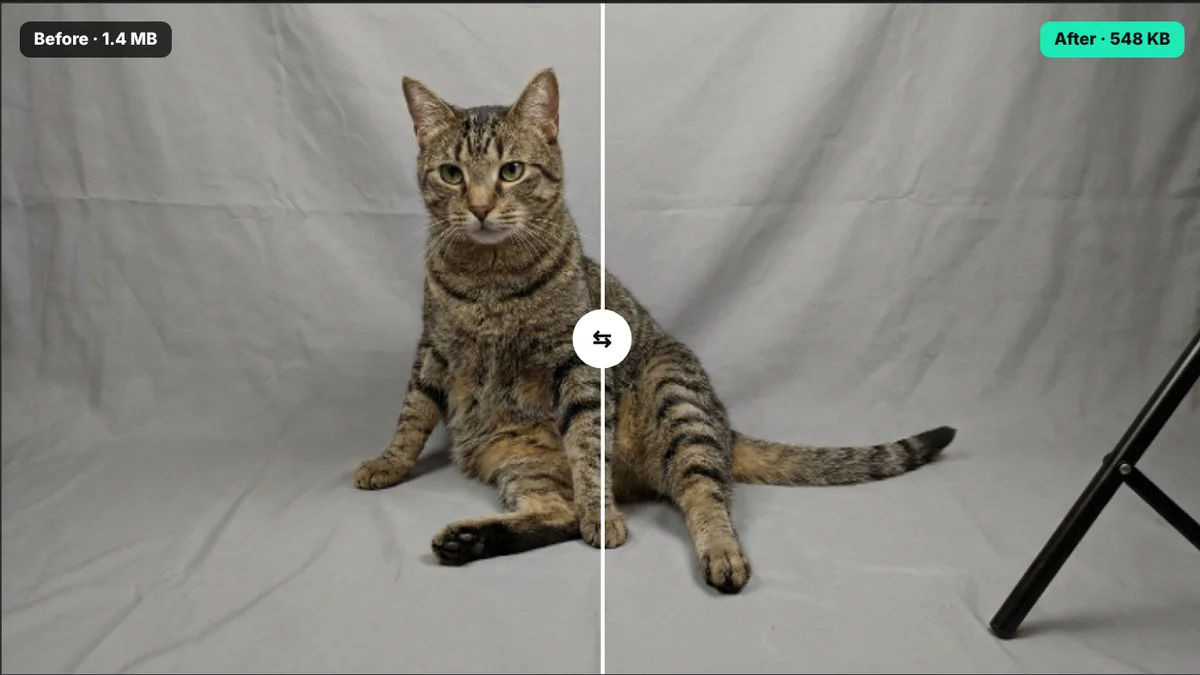
"File too large." Few words are more annoying when you just want to send a GIF. Discord wants 10 MB, a Discord emoji 256 KB, a Slack emoji 128 KB, and most emails get heavy above a couple of megabytes. That's why there's now Squeeze: it makes GIFs, videos and pictures smaller, and it tells you honestly how much smaller and how close they still look.
Find it under More apps → Utilities next to the logo, or go straight to gifnobg.com/squeeze.
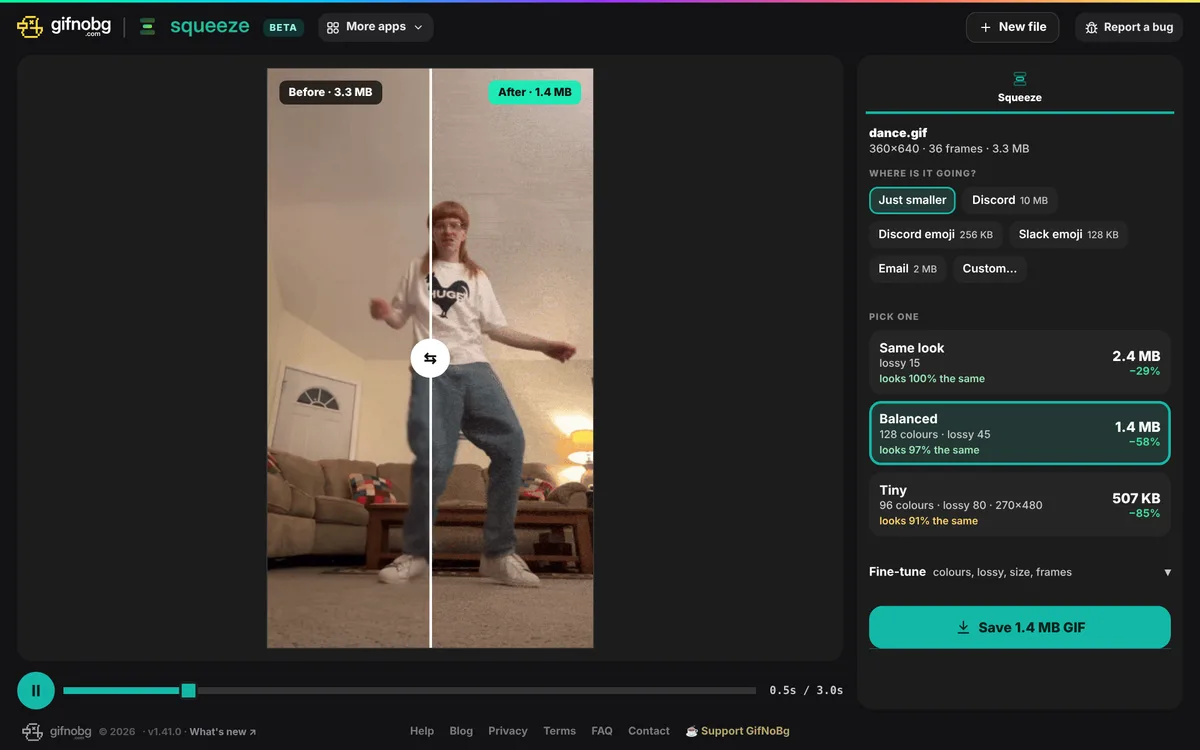
Say where it's going
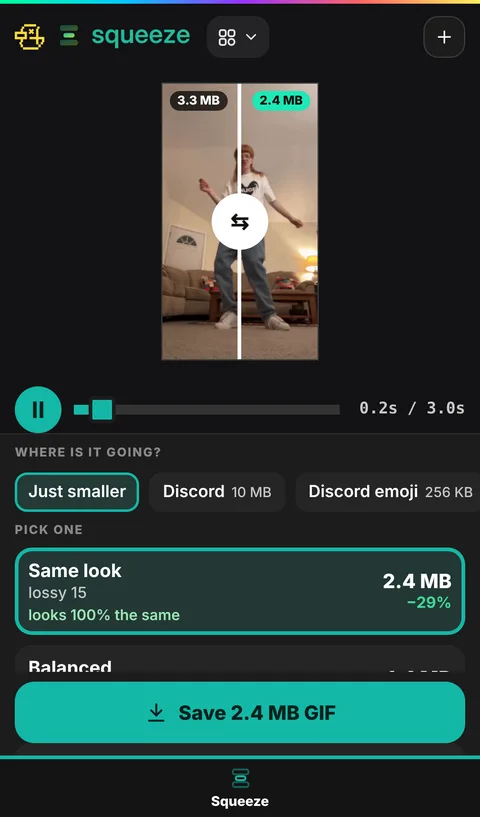
Instead of a page of settings, Squeeze asks one question: Where is it going? Pick Just smaller, Discord, Discord emoji, Slack emoji, Email or type your own limit. You get three ready answers, each with its real size, how much it saved and how close it looks ("looks 97% the same"). Drag the line on the picture to see for yourself, then save.
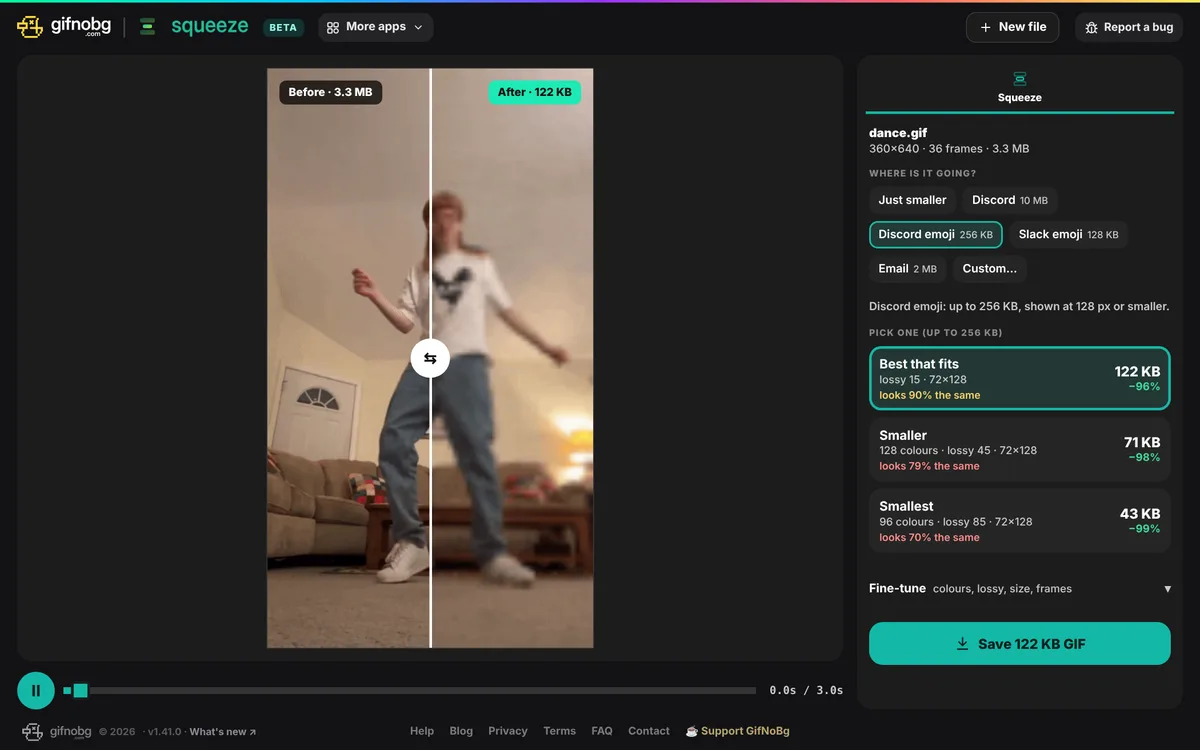
With a limit, Squeeze searches for the best version that still fits. If nothing fits, it says so, instead of handing you a file that won't upload.
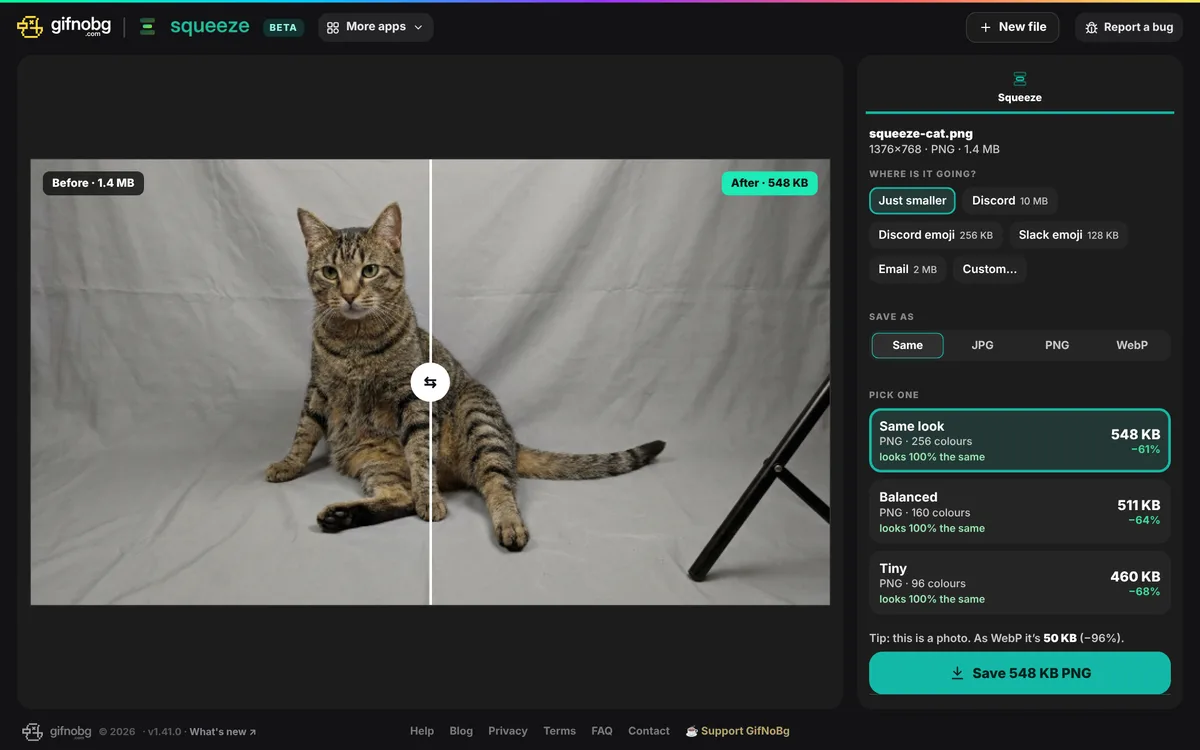
Pictures too: PNG, JPG, WebP, AVIF and SVG
Photos and screenshots work the same way. Keep the format or switch with Save as: WebP and AVIF are usually the smallest for photos, and PNGs get a smart set of colours that often halves them with no visible change. Saved a photo as PNG by accident? Squeeze notices and shows what it would weigh as WebP.
Videos too, with the sound
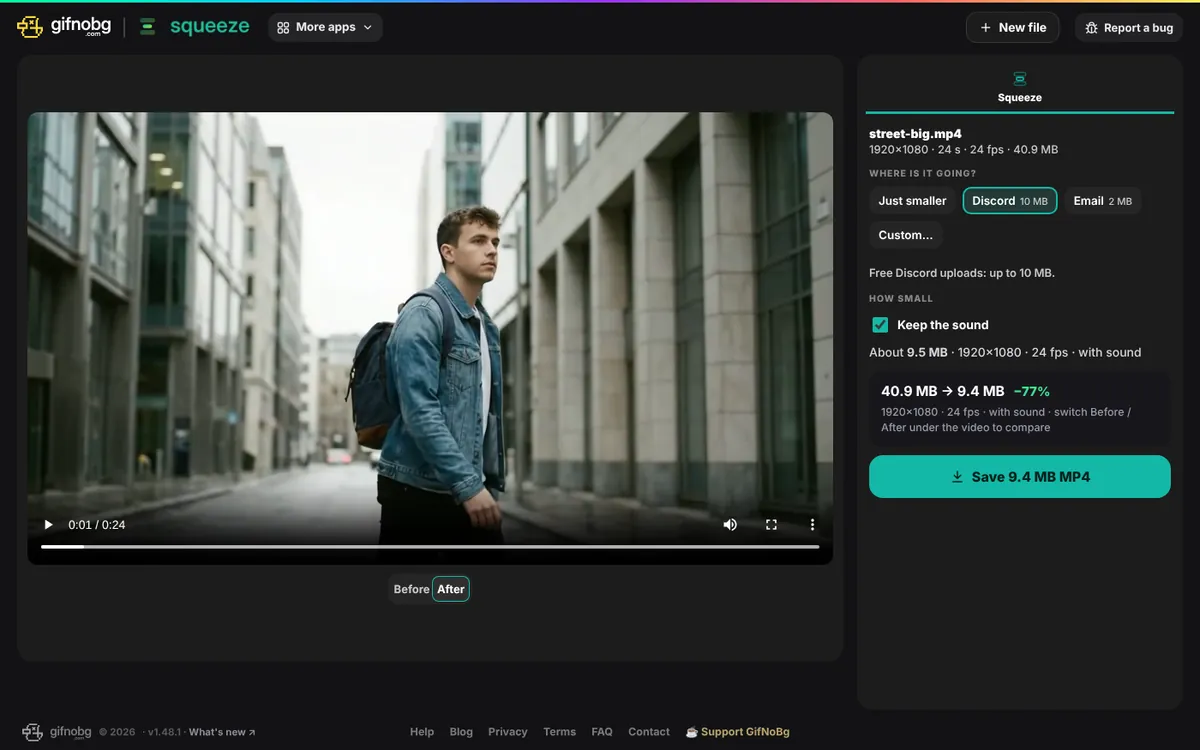
Drop an MP4, MOV or WebM, say where it's going, and Squeeze makes a smaller MP4 that keeps the sound. Pick Discord and it works out the size and quality that fit under 10 MB. A 41 MB, 24-second clip came out at 9.4 MB, still in full HD. Switch Before and After under the video to compare.
And logos or icons saved from Illustrator, Inkscape, Figma or Sketch get their own clean-up: the editor extras come out and the numbers get rounded, so the SVG looks the same and weighs a lot less.
50 files at once
Drop a whole folder: up to 50 GIFs and pictures, mixed. Tap Squeeze all, watch each row shrink, and download them in one ZIP. Files that can't get any smaller are left as they are, so nothing ever gets bigger.
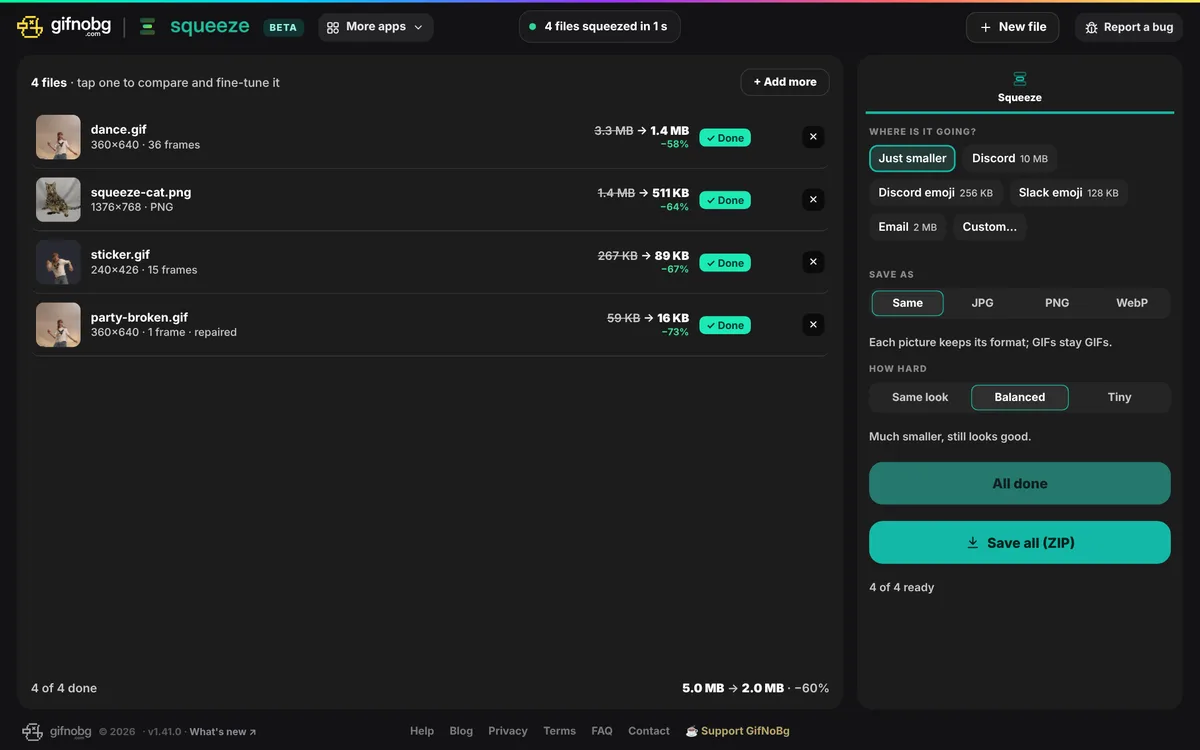
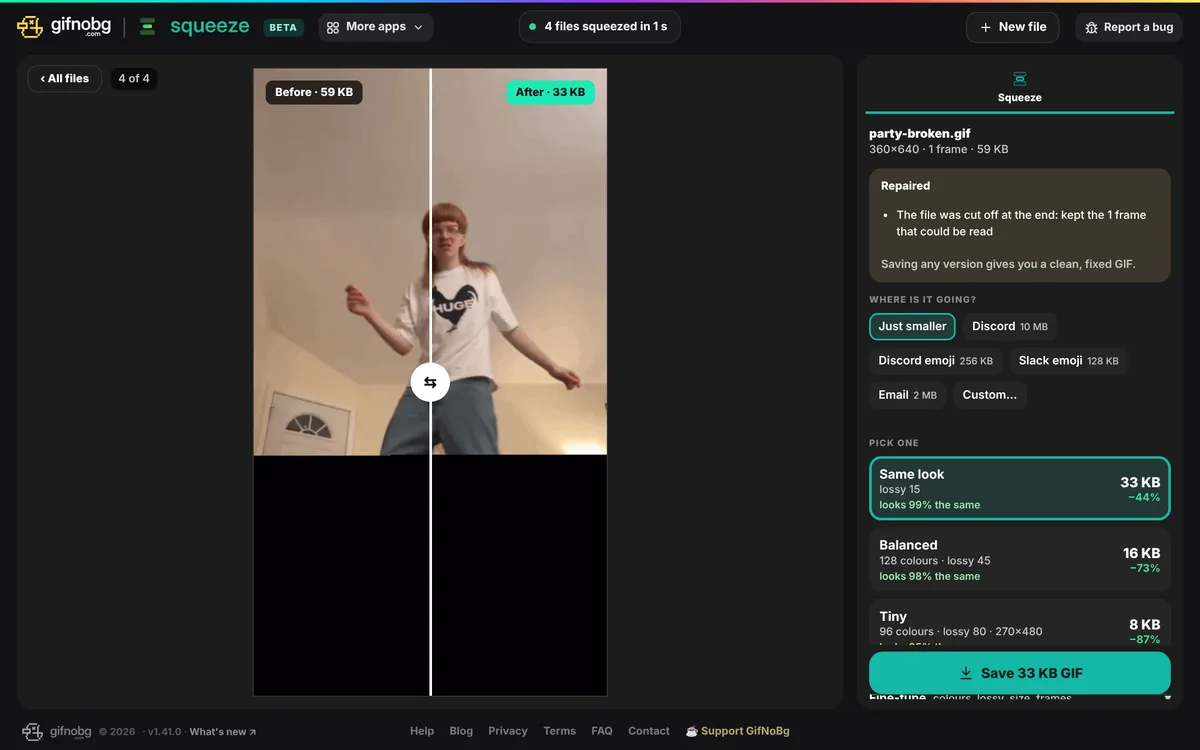
It fixes broken GIFs
A GIF that stops halfway or won't open at all was often cut off while downloading. Squeeze keeps every frame it can read, tells you what it repaired, and saves a clean GIF that plays everywhere.
On your phone too
Tell me what you think
If a file comes out bigger than you’d expect, or you’d like another place in Where is it going?, tell me on the contact page. I read everything.
As always: free, no watermark, no sign-up, and your files never leave your device. Try Squeeze now.