Make a GIF fit Discord, Slack or email
Your GIF is too big for Discord, a Discord or Slack emoji, or an email? Pick the place in Squeeze and get the best-looking GIF that fits the limit. Free, in your browser, nothing uploaded.
Every place has its own size limit, and a GIF that's even a little over it simply won't upload. In Squeeze you pick where the GIF is going and it finds the best-looking version that fits. Your GIF never leaves your device.
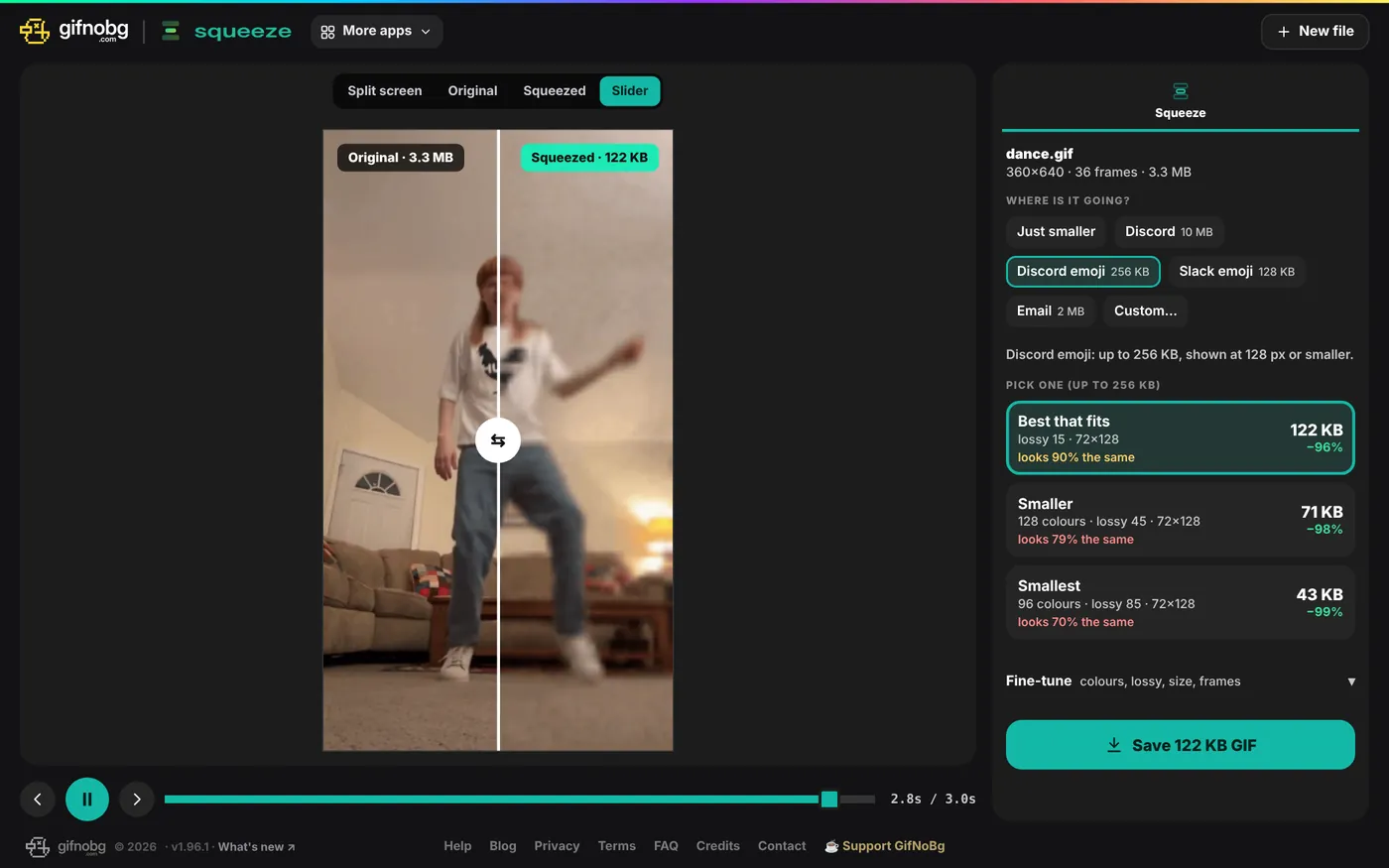
The limits
- Discord: 10 MB for files in a chat (without Nitro).
- Discord emoji: 256 KB, shown at 128 × 128 px or smaller.
- Slack emoji: under 128 KB, square works best.
- Email: Squeeze aims for 2 MB, so the GIF plays right in the message and doesn't fill anyone's inbox.
- Custom: type your own limit in KB or MB, for a forum, a website or any other place.
Fit a GIF
- Open Squeeze and choose your GIF.
- Under Where is it going? tap the place, for example Discord emoji.
- Squeeze tries smaller and smaller versions until one fits. You get three answers under the limit: Best that fits, Smaller and Smallest, each with how close it looks to the original.
- Check it with Split screen, Original, Squeezed or Slider above the picture, then tap Save.
For emoji the GIF is made 128 px on its longer side, because emoji are never shown bigger. That alone makes it many times smaller.
If it still won't fit
If even the smallest version is over the limit, Squeeze tells you instead of handing you a file that won't upload. Then:
- Make the clip shorter: fewer seconds means fewer frames. GIF Maker or Video to GIF can trim it.
- Open Fine-tune and keep every 2nd or 3rd frame under Frames.
- For a Discord message, an MP4 is often much smaller than a GIF and plays just as well.
Making a Twitch emote? Those need exactly 112 × 112 px: see Make an animated Twitch emote.
