Compress PNG, JPG, WebP and AVIF pictures
Make PNG, JPG, WebP and AVIF pictures smaller in your browser. See the size and how close it looks before you save, turn photos into WebP and shrink PNGs with smart colours. Free, nothing uploaded.
Squeeze isn't only for GIFs. It makes PNG, JPG, WebP and AVIF pictures smaller too, and shows you exactly how big each version is and how close it looks before you save. Everything happens on your device: your pictures are never uploaded.
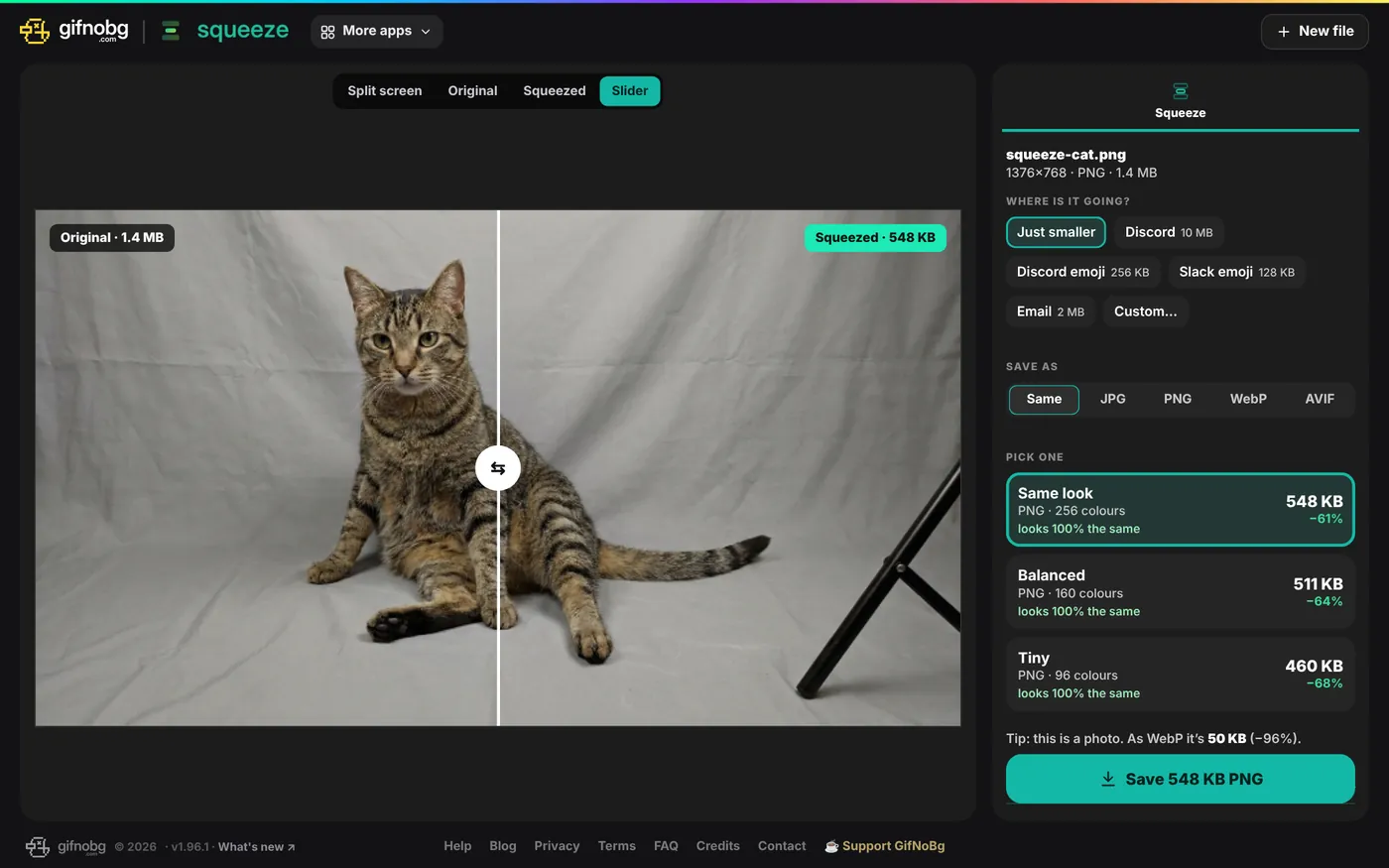
Make a picture smaller
- Open Squeeze and choose a picture (or drop it on the page).
- Under Save as keep Same or pick JPG, PNG or WebP.
- Pick Same look, Balanced or Tiny. Each shows its size and how close it looks, for example "looks 98% the same".
- Compare with Split screen, Original, Squeezed or Slider (drag the line), then tap Save.
Need it under a size, for an upload form or an email? Pick Email or Custom under Where is it going? and Squeeze finds the best version that fits.
Which format should I pick?
- Photos: WebP is usually the smallest and works in every modern browser and app. JPG works absolutely everywhere.
- Logos, screenshots, drawings: PNG keeps edges and text crisp. Squeeze picks a smart set of colours for it, which often makes it half the size or less while it looks the same.
- See-through pictures: PNG or WebP. A JPG can't be see-through, so the clear parts become white.
A photo saved as PNG is often huge. When Squeeze sees one, it tells you what it would weigh as WebP, with a button to switch.
Fine-tune
Open Fine-tune for your own settings: Quality for JPG and WebP (lower is smaller), Colours for PNG ("All" keeps every colour) and Size to make the picture itself smaller. A picture that's only shown small on a website doesn't need to be 4000 pixels wide.
Good to know
- AVIF pictures can be opened and saved: Save as → AVIF often gives the smallest photos. BMP pictures become WebP (or PNG when see-through).
- SVG drawings get their own clean-up: editor extras out, numbers rounded.
- Animated PNGs and animated WebPs aren't supported yet: Squeeze tells you when it gets one.
- Have a lot of pictures? See Compress many files at once.
