Save a GIF, a small file or a video
Save your animation from GIF Maker as a GIF, WebP, APNG or MP4, make a GIF that fits under 256 KB or 1 MB (Discord and Slack emoji too), or download every frame as pictures in a ZIP.
Open Save, pick a format, check the line above the button, and tap Make my GIF (or WebP, APNG, MP4). When it's ready, tap Download.
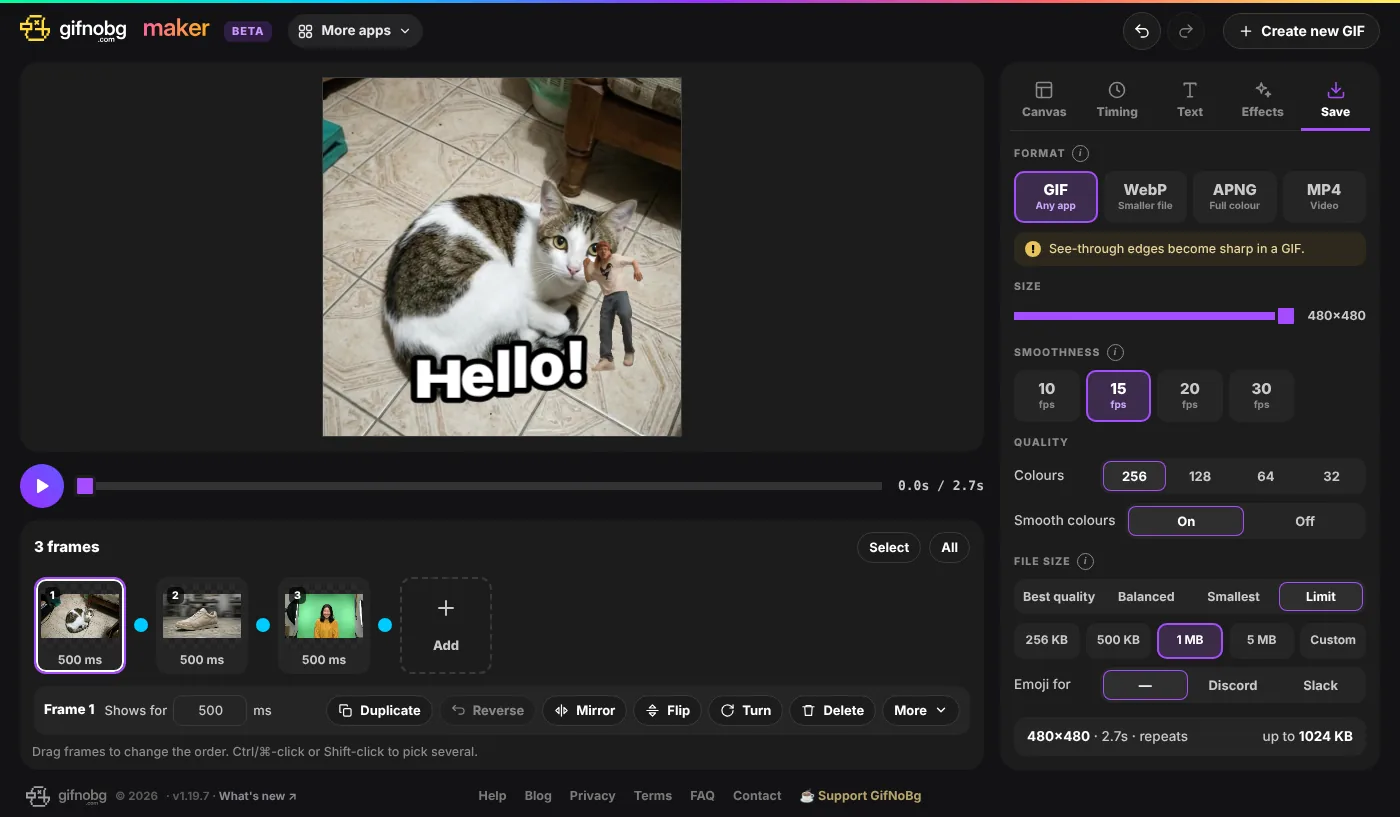
Which format?
- GIF — plays in every app. Up to 256 colours; see-through edges become sharp.
- WebP — smaller files with smooth colours and soft see-through edges.
- APNG — full colour and soft edges, but bigger files.
- MP4 — a video for Reels, TikTok, Stories and chats, from 480p up to 4K at 24 to 60 frames per second. Videos can't be see-through, so pick a background colour in Canvas first.
Make the GIF smaller
Under File size:
- Best quality — your settings exactly as they are.
- Balanced and Smallest — fewer colours (Smallest also a smaller size and fewer frames per second).
- Limit — pick 256 KB, 500 KB, 1 MB, 5 MB or your own number. GIF Maker tries smaller versions until it fits, tells you what it changed, and says honestly if it can't get there.
- Emoji for Discord or Slack — uses their own limits: Discord up to 256 KB at 128 × 128; Slack square and under 128 KB.
Fewer frames, a shorter animation, a smaller size or fewer colours all make a GIF smaller. You can stop a slow save at any time with Cancel.
Export every frame as pictures
Export frames as pictures (ZIP), under the Save button, downloads one picture per frame, numbered in order:
- PNG or WebP; see-through stays see-through.
- All frames, or only the Picked ones.
- Everything (with effects, text and stickers, as in the saved GIF) or Just the pictures.

Make a GIF from your own picturesFree, no sign-up, no watermark — and your pictures never leave your device.
Open GIF Maker