Save a morph as a GIF or a video
How to save your morph from GifNoBg Morph: GIF, WebP, APNG or an MP4 video from 480p up to 4K at 24 to 60 frames per second, and which to pick for chats, stories and Reels.
When your morph looks right, open the Save tab. Pick a format, check the size line above the button, and tap Make my…. When it's ready, tap Download.
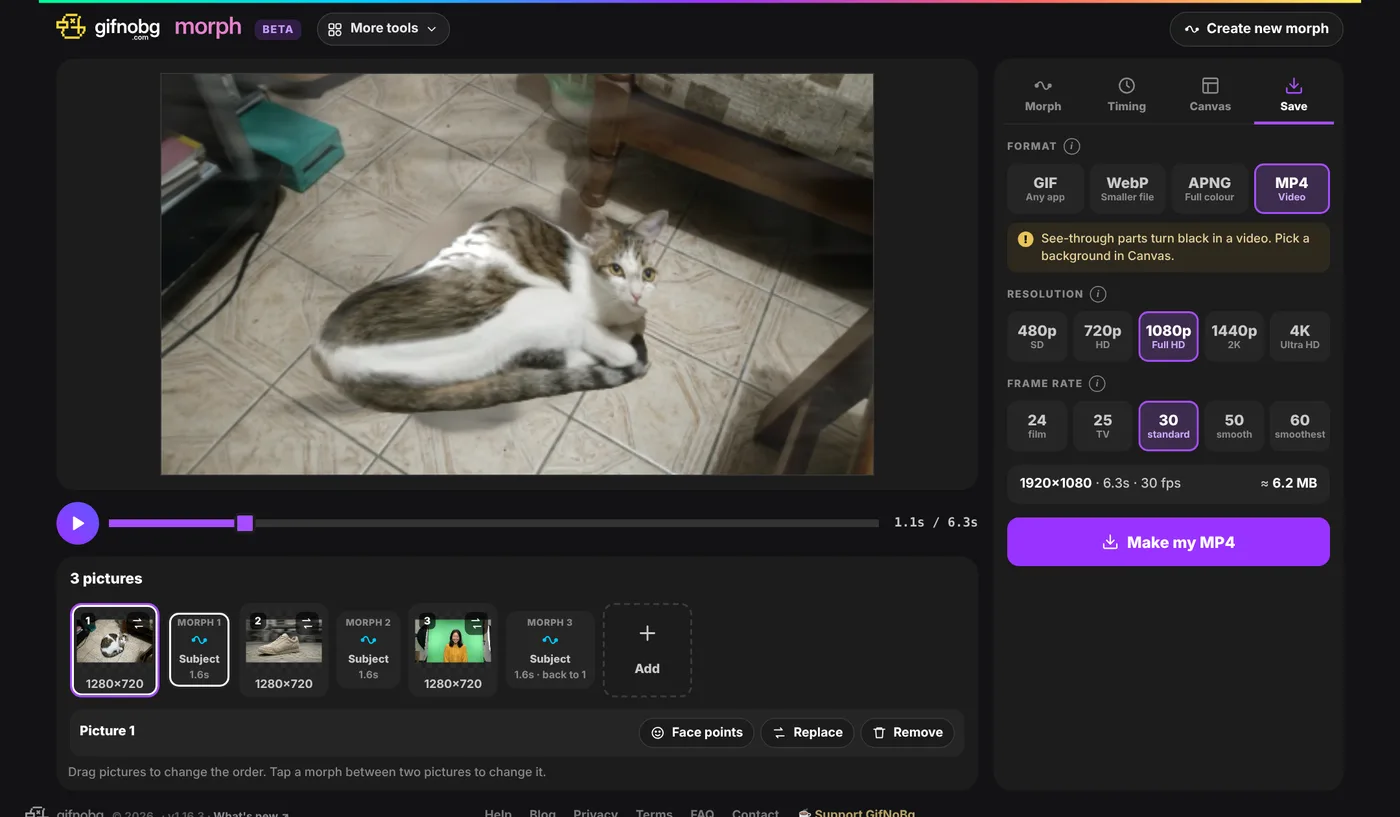
Which format?
- GIF — plays in every app and chat. Up to 256 colours, so soft colour changes can look a little grainy. Choose fewer colours for a smaller file.
- WebP — smaller files with smooth colours. Works in most apps and browsers.
- APNG — full colour with smooth see-through edges, but bigger files.
- MP4 — a normal video for Reels, TikTok, Stories and chats.
Tap the small i next to Format for more about the one you picked.
Video: resolution and frame rate
- Resolution: 480p (SD), 720p (HD), 1080p (Full HD), 1440p (2K) or 4K (Ultra HD). 1080p suits phones and social apps. 4K is very sharp but makes a much bigger file and takes longer.
- Frame rate: 24, 25, 30, 50 or 60 frames per second. 30 is standard; 60 is extra smooth.
- Very short morphs play a few times so the video lasts at least 3 seconds.
- Videos can't be see-through. If your canvas has a see-through background, those parts turn black, so pick a Colour or Gradient in Canvas first.
GIF, WebP and APNG: size and smoothness
- Size — the slider makes the animation smaller; the line next to it shows the exact width × height.
- Smoothness — 12 to 30 frames per second while the pictures morph. More is smoother but bigger.
- Quality — GIF: number of colours and Smooth colours (on softens colour steps); WebP: a quality slider.
The line above the button shows the size, the length and roughly how big the file will be. If a chat app rejects it, lower the size, the smoothness or the colours.
See-through morphs
Pictures with a see-through background (for example stickers you made in GifNoBg) stay see-through in GIF, WebP and APNG. APNG and WebP keep soft edges; in a GIF every pixel is either see-through or solid, so edges look sharper.