Add effects to a photo or GIF
Put glitter, VHS, glitch, neon, rain, disco lights and about 100 more animated effects on any photo, GIF or short video, then save a GIF, WebP, MP4 or PNG. Free, no sign-up, nothing uploaded.
Effecto is GifNoBg's effects app. Choose one picture or a short video, tap an effect, and it plays straight away: glitter, VHS tape, a glitch, rain, disco lights and about 100 more. A still photo turns into an animation, an animated GIF keeps its own timing, and a video plays with the effects on top. Effecto keeps getting better.
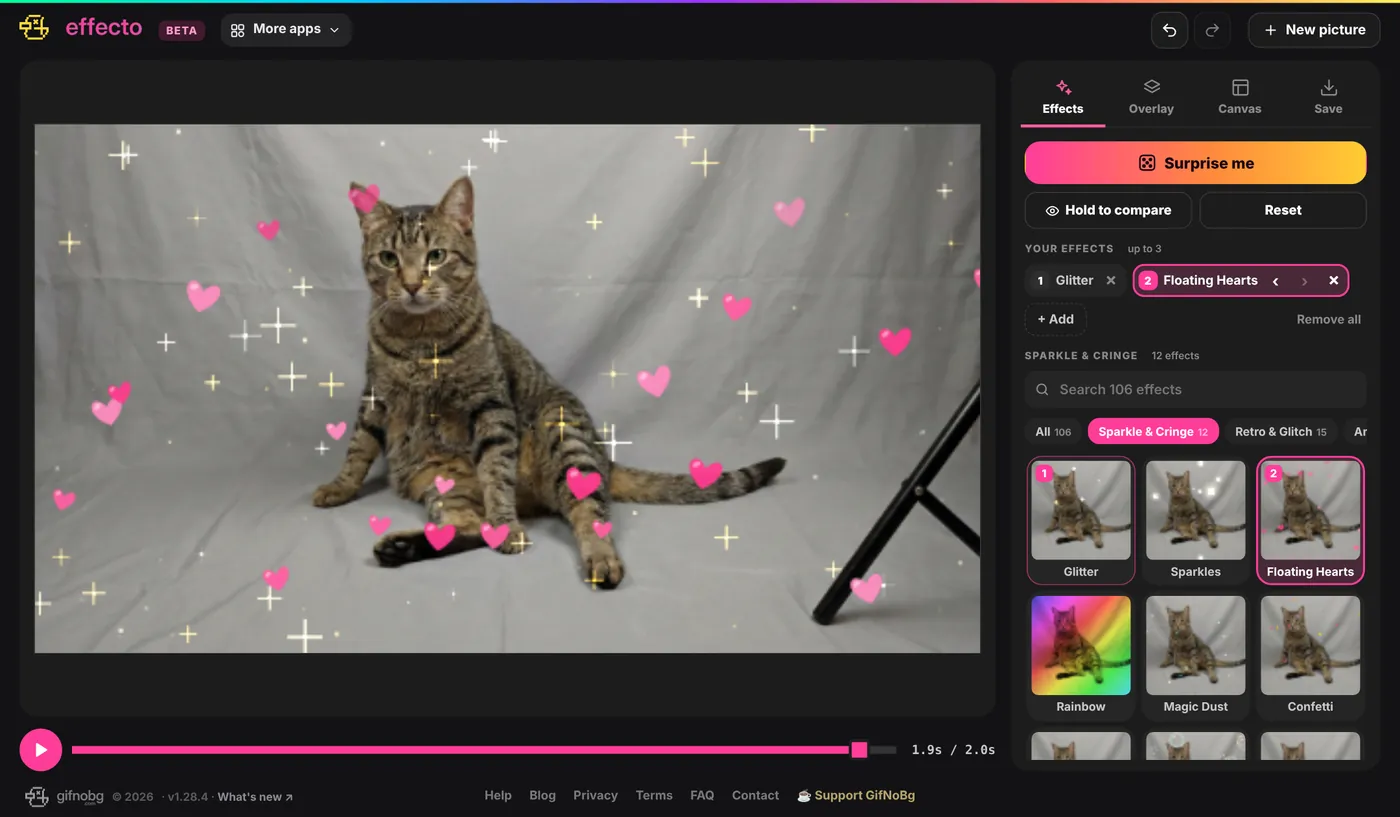
Your first effect
- Open gifnobg.com/effecto, or choose More apps next to the logo and pick Effecto.
- Tap Choose a picture or video: a JPG, PNG, WebP or GIF (animated GIFs work too), or a video such as an MP4, MOV or WebM. You can also drop it onto the page.
- Effecto opens on Templates (memes and posters, see Make a meme with templates). For effects, open the Effects tab and tap any tile. It shows on your picture at once; tap another to try that instead.
- Go to Save, pick a format and tap Make & download GIF (or the format you picked). It downloads by itself.
Not sure where to start? Tap Surprise me. It picks one to three effects with random settings. Tap again for another, and Undo brings back the one before.
Add effects to a video
Effecto can use up to 15 seconds of a video. When you open one, a window shows the video with a bar under it:
- Drag the two handles to pick where your part starts and ends, or drag the middle to move the whole part. The length shows under the bar (at most 15 seconds).
- Tap Use this part. Effecto reads the frames (a bar shows how far it is) and opens them in the editor.
- Pick effects as usual, then save a GIF, WebP, APNG or MP4.
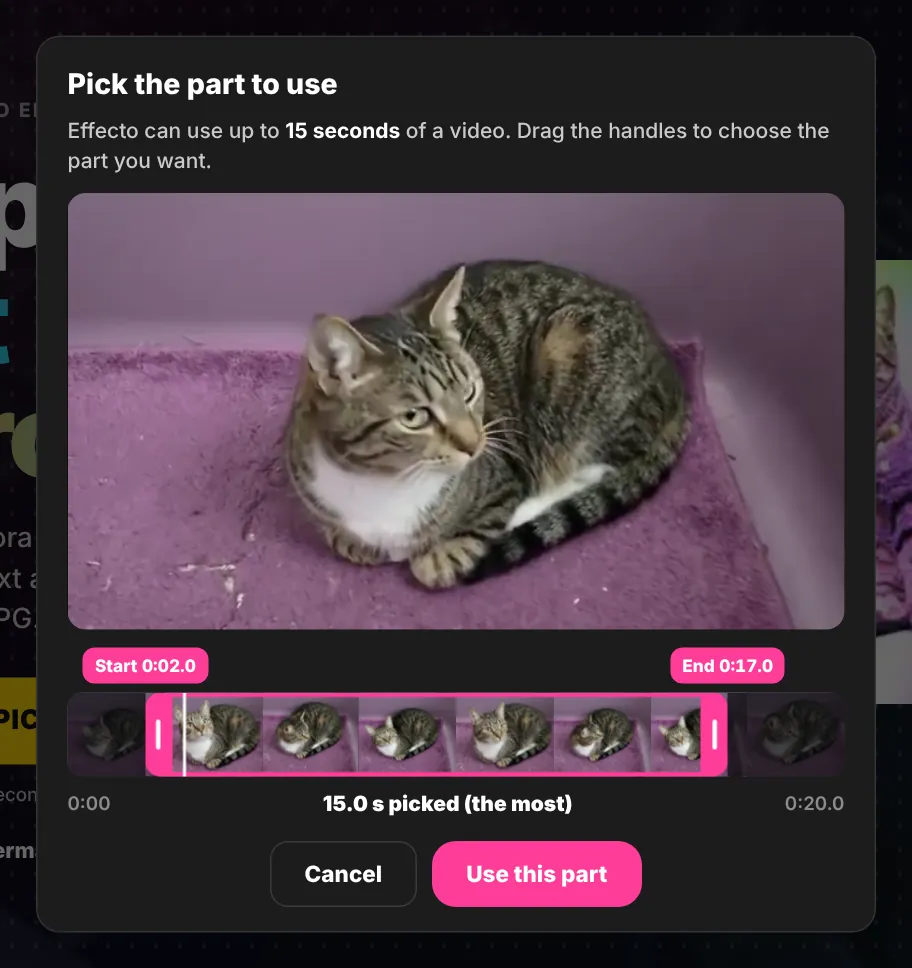
Sound isn't kept, and long or very large videos are made smaller so they fit in your phone's memory. Everything still happens on your own device: the video is never uploaded.
Finding effects
Every tile plays a small preview of the effect on your own picture. The effects are in eight groups, and the chips above the tiles switch between them:
- Sparkle & Cringe: glitter, sparkles, floating hearts, rainbow, magic dust, bubbles, shooting stars, lens flare…
- Retro & Glitch: VHS, CRT, RGB split, pixelate, glitch, Game Boy, ASCII, TV static, webcam 2003…
- Art & Colour: duotone, halftone, posterize, neon, acid, pop art, pencil sketch, watercolour, stained glass…
- Filters: black & white, sepia, film noir, golden hour, lomo, infrared, thermal, gold statue…
- Dreamy & Weird: dream glow, vaporwave, liquid, heatwave, disco, kaleidoscope, mirror, swirl, melt…
- Bounce & Move: bounce, float, shake, 3D spin, jelly, dance, earthquake, heartbeat, slow zoom…
- Weather & Nature: rain, snow, fog, sun rays, autumn leaves, sakura, fireflies, aurora, underwater, storm
- Party & Hype: lasers, spotlight, fireworks, money rain, speed lines, impact frame, deep fried, flames, neon frame, clones…
Or type in the search box: try sparkle, retro, rain, party or pink. All shows every effect at once.
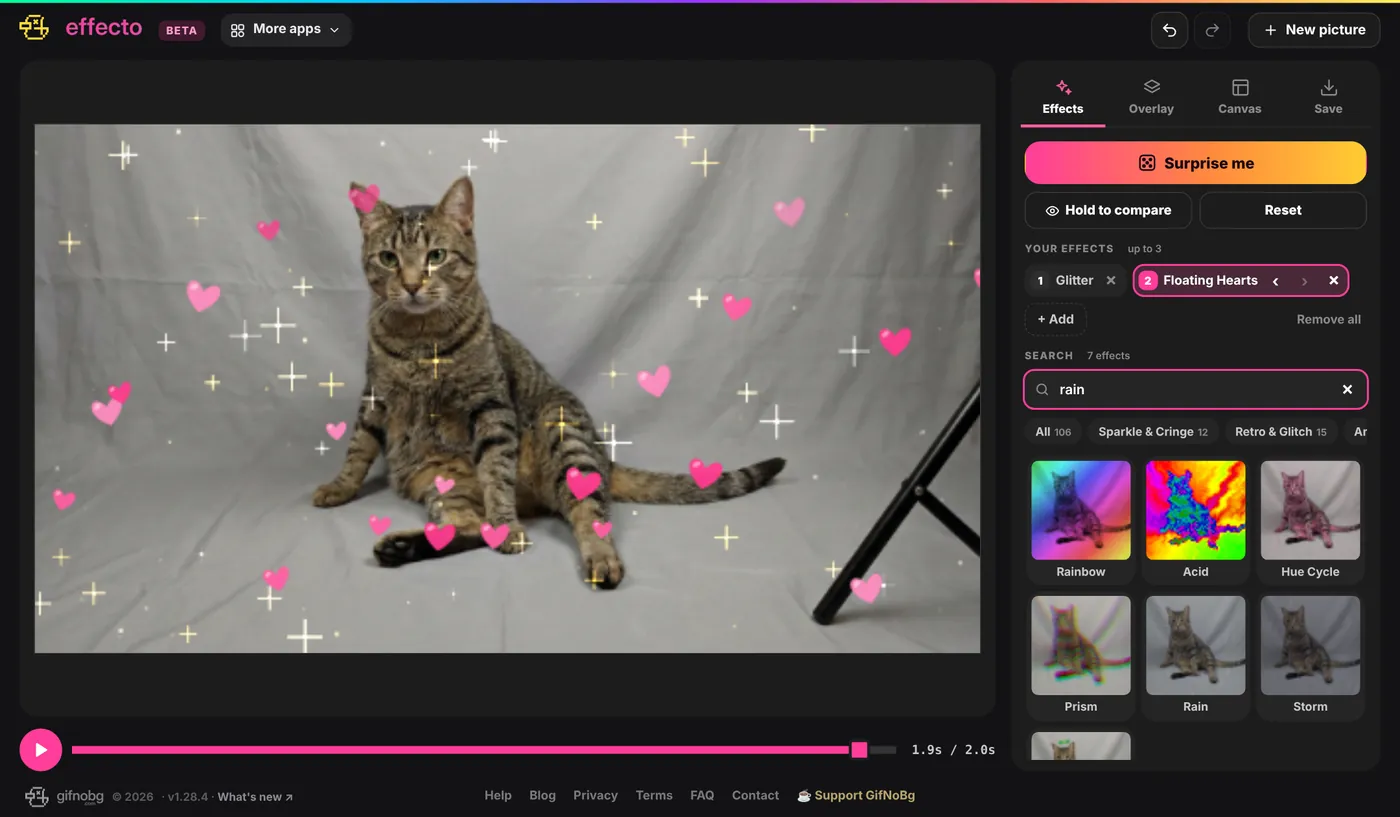
Change how it looks
The picked effect shows its own settings under the tiles. Only the ones that do something for that effect appear: Intensity, Speed, Size, Density, Glow, Distortion and, for some, a choice of colours (for example gold, silver, pink or rainbow glitter). Every effect starts with settings that look good, so you don't have to touch them.
Next: stack effects, compare and add text, then save your result.
