Make a GIF or video for TikTok
Step by step: turn pictures, GIFs or a video clip into a 9:16 TikTok video (1080×1920 MP4), or make your own animated sticker for TikTok through GIPHY. Free, nothing uploaded.
TikTok videos are tall: 9:16, best at 1080 × 1920 pixels, as an MP4. TikTok doesn't upload GIFs, so:
- For a TikTok video: save your animation as a tall MP4 and upload it.
- For a sticker on top of a TikTok: TikTok's GIF stickers come from GIPHY. See Use your own sticker in TikTok.
Make a TikTok video
- Open the GIF Maker and choose your pictures or GIF. (Got a video? Use Video to GIF or Effecto: they have the same Canvas and Save.)
- In Canvas, choose Story 9:16. Under Pictures, Fit shows all of each picture and Fill covers the whole screen.
- Under Background, pick a Colour or a Gradient. A video can't be see-through, so empty parts would turn black.
- Add text, stickers or effects if you like.
- Open Save, choose MP4 and 1080p. It shows 1080×1920, the size TikTok recommends.
- Press Make & download MP4; it downloads by itself.
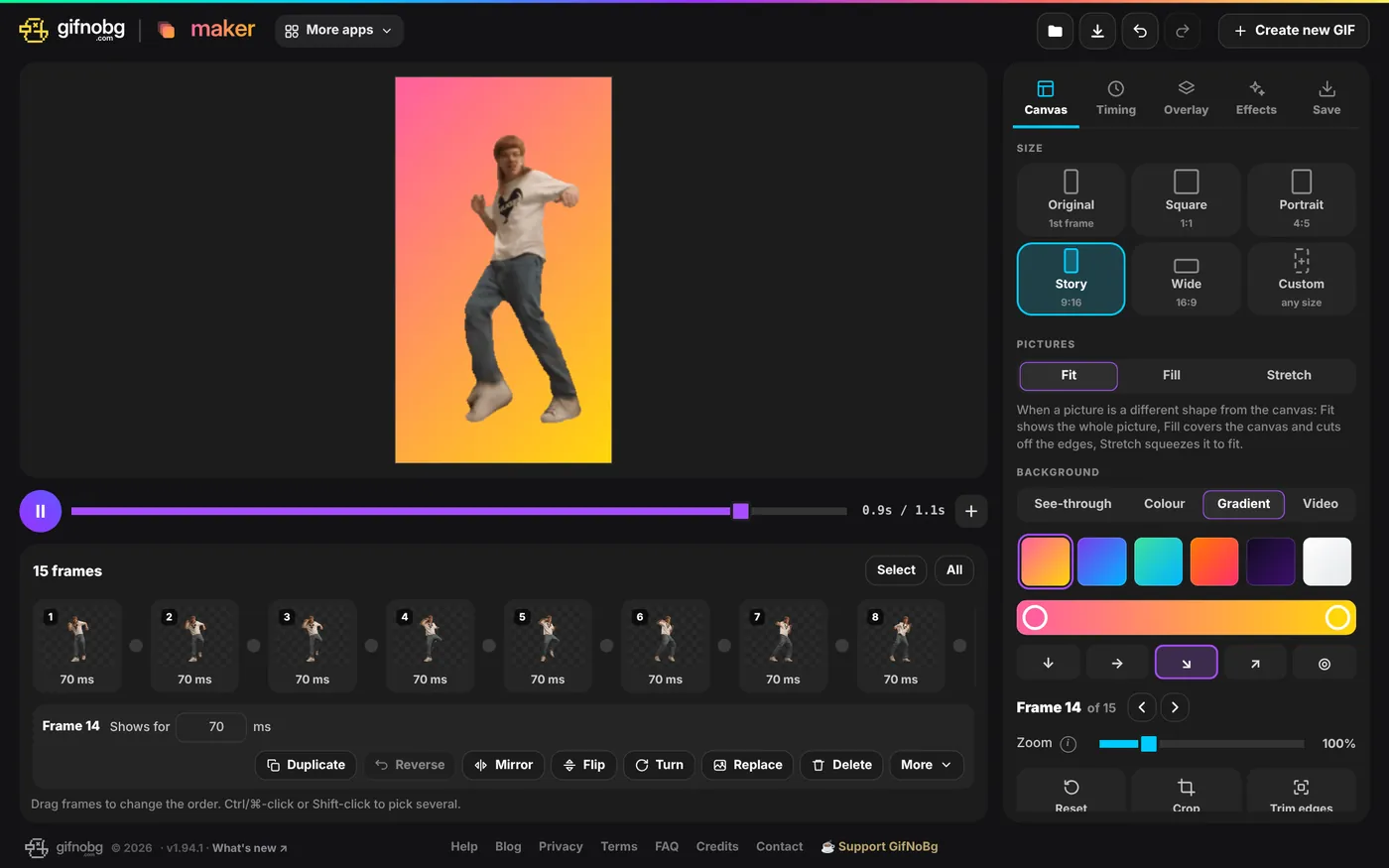
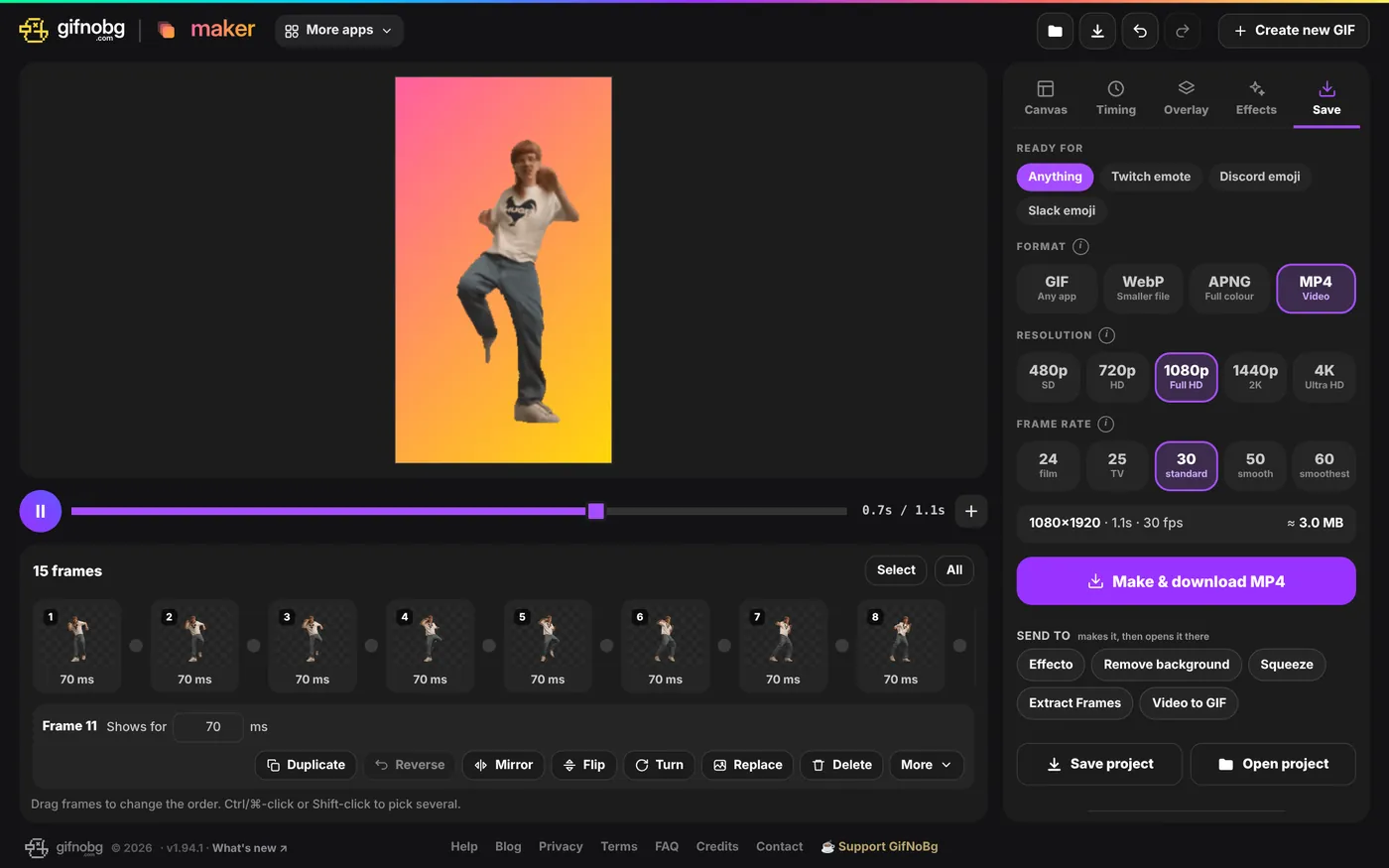
Starting from a person or pet in a video? Remove the background at gifnobg.com first, save it with Just a GIF, then open that GIF in the GIF Maker and follow the steps above to put it on a coloured background.
Upload it
- Save the MP4 to your phone, or keep it on your computer.
- In TikTok, tap + and choose Upload, then pick the video. On a computer, use Upload on tiktok.com.
- Add sound, text and a caption in TikTok, then post.
A tall 9:16 video fills the whole screen; other shapes get black bars. Keep text away from the bottom and the right side, where TikTok shows the caption and buttons.
TikTok changes its limits and menus from time to time. These steps match TikTok in 2026.

Try it with your own videoFree, no sign-up, no watermark — and your video never leaves your device.
Make a sticker