Make a GIF or picture smaller
Make GIFs, PNGs, JPGs and WebPs smaller in your browser: pick where it's going (Discord, Discord or Slack emoji, email) and get the best-looking file that fits. Compare before and after, repair broken GIFs, do up to 50 at once. Free, nothing uploaded.
Squeeze makes GIFs, videos and pictures (PNG, JPG, WebP, AVIF and SVG) smaller. Tell it where the file is going and it finds the best-looking version that fits, or just pick one of three ready answers. It can repair GIFs that won't play and do up to 50 at once. Everything runs in your browser on your own device, so your files are never uploaded.
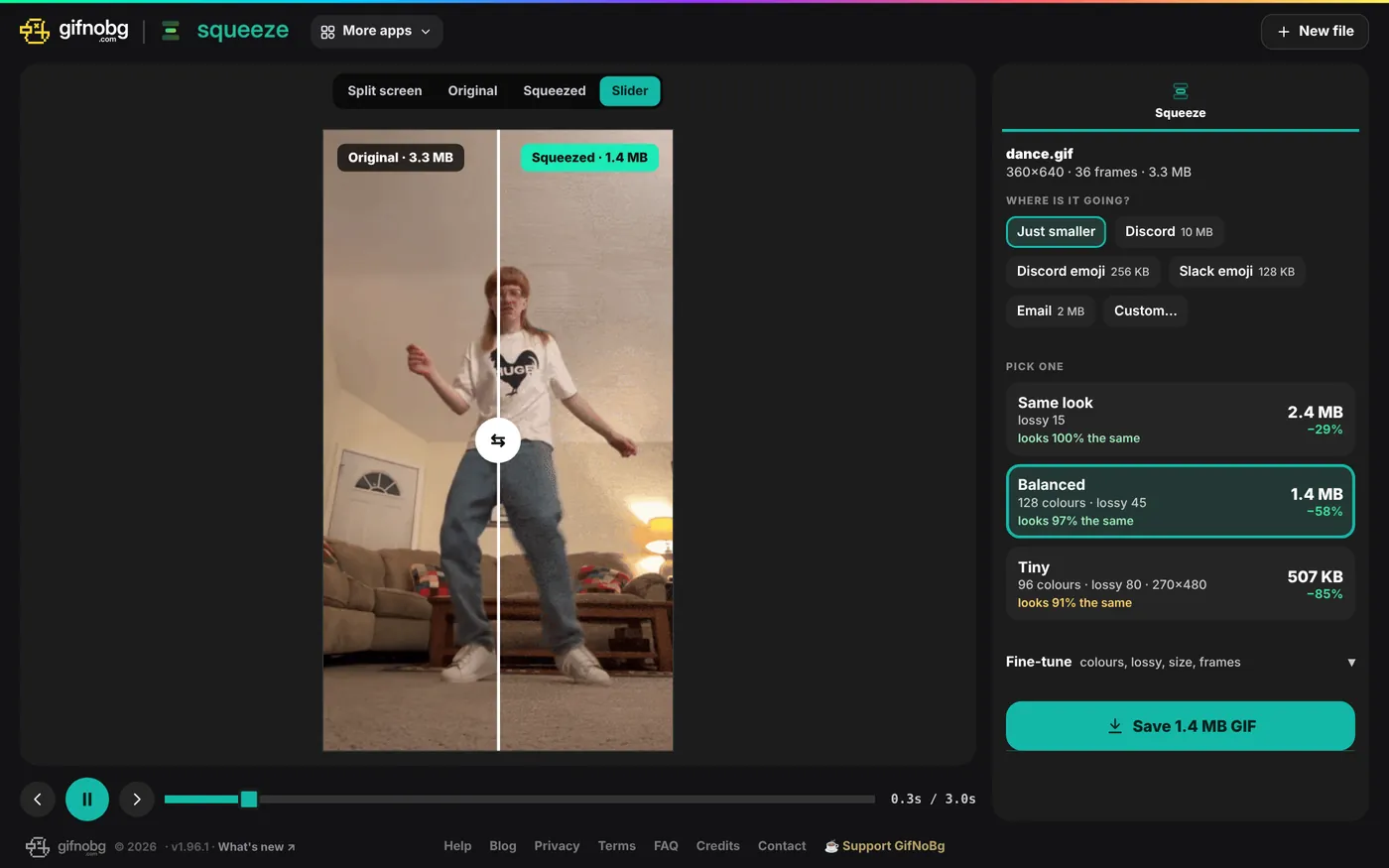
Make one GIF smaller
- Open gifnobg.com/squeeze, or choose More apps next to the logo and pick Squeeze under Utilities.
- Tap Choose files and pick a GIF or a picture, or drop it onto the page.
- Under Where is it going? pick one: Just smaller, Discord (10 MB), Discord emoji (256 KB), Slack emoji (128 KB), Email (2 MB) or Custom for your own limit.
- Pick one of the three answers. Each shows its real size, how much smaller it is and how close it looks to the original (for example "looks 97% the same").
- Compare with the switch above the picture: Split screen (both at once), Original, Squeezed, or Slider (drag the line). Play, pause or step frame by frame with the buttons under it.
- Tap Save. The new file is named after yours with "-small" added.
The three answers
- Same look: smarter colours and the unchanged parts of each frame reused. Looks the same, a bit smaller.
- Balanced: fewer colours and lighter packing. Usually about half the size and still looks good.
- Tiny: fewer colours and often a smaller picture. The smallest, with some loss you can see up close.
With a size limit (Discord, emoji, email or Custom) the answers become Best that fits, Smaller and Smallest. For emoji the GIF is made 128 px, because that's how big emoji are shown. If even the smallest version can't fit, Squeeze says so: try a shorter clip. More in Make a GIF fit Discord, Slack or email.
Some GIFs are already packed very well. Then a version may not get much smaller, and the card says so instead of pretending.
Pictures: PNG, JPG, WebP and AVIF
Pictures work the same way, with one more choice, Save as:
- Same keeps the picture's own format.
- JPG and WebP are best for photos. WebP is usually the smallest and works in every modern browser and app.
- AVIF is usually the smallest of all for photos and opens in modern browsers, but some apps and older phones can't show it yet. Saving takes a few seconds.
- PNG is best for logos, screenshots, drawings and anything see-through. Squeeze reduces it to a smart set of colours, the trick that makes PNGs much smaller while they look the same.
Videos, with sound
Drop an MP4, MOV or WebM (one at a time). Pick Just smaller and how small (Good, Smaller or Tiny), or a size limit like Discord (10 MB): Squeeze works out the size and quality that fit. Keep or remove the sound, tap Squeeze video, then compare with Split screen, Original, Squeezed or Slider above the video. Both play together: play, pause, step frame by frame, jump to any moment or turn the sound off with the bar under it. You get an MP4 that plays everywhere.
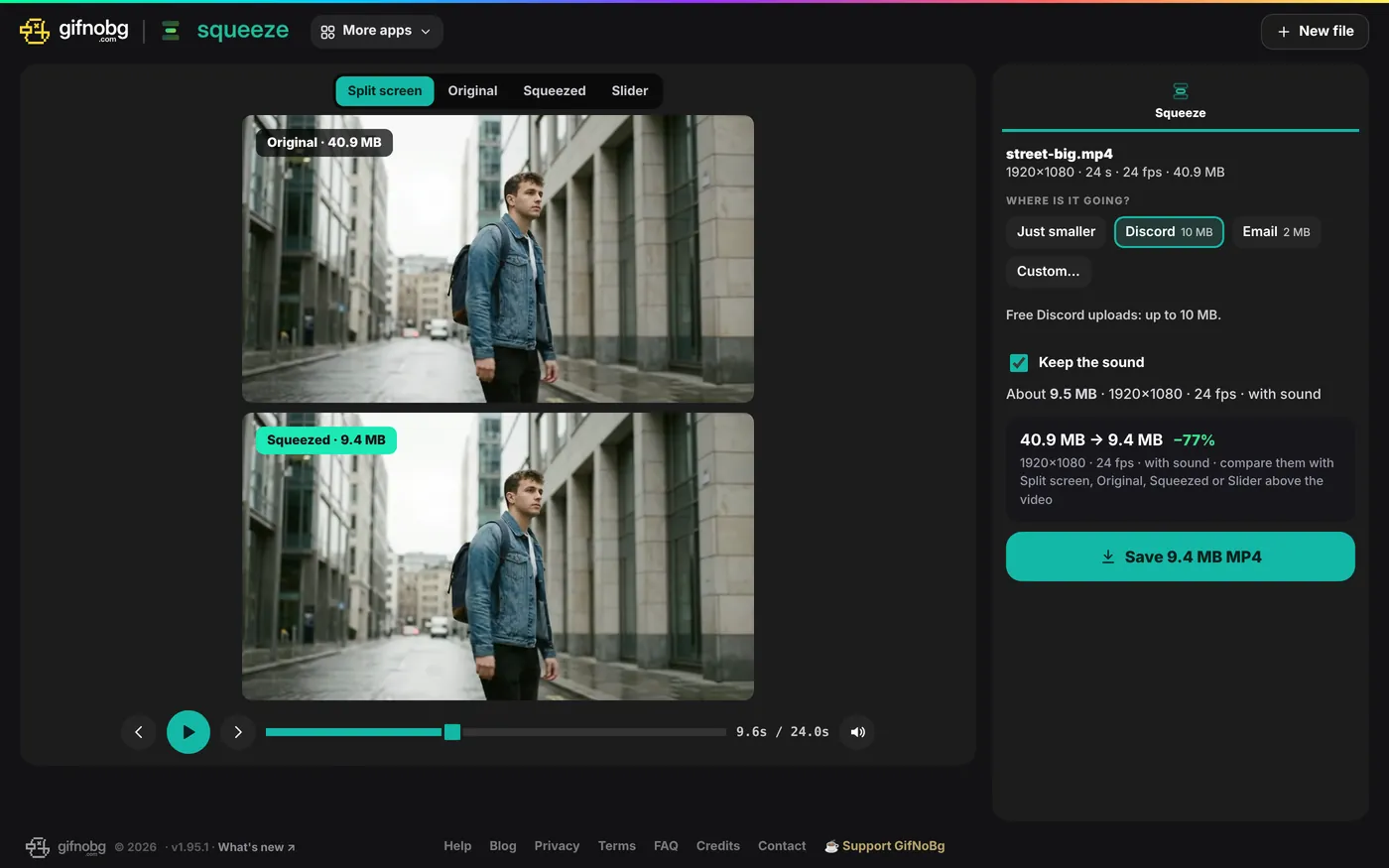
If a video is too long to fit a limit even at its smallest, Squeeze says so. Trim it first, for example with Video to GIF or your phone's editor.
SVG drawings
Logos and icons saved from Illustrator, Inkscape, Figma or Sketch carry lots of editor extras. Squeeze takes them out, rounds the numbers to what the drawing needs, and keeps it looking the same. The three answers round more and more.
A photo saved as PNG is often huge. Squeeze shows you what it would weigh as WebP or JPG, with a button to switch. More in Compress PNG, JPG, WebP and AVIF pictures.
Fine-tune
Open Fine-tune to set it yourself. Your settings make a fourth answer, Yours. For a JPG or WebP you get Quality and Size; for a PNG, Colours and Size; for a GIF all of these:
- Colours: fewer colours make a smaller file (2 to 256).
- Lossy: lets similar colours share the same code, which packs the file much smaller. Higher means smaller, with more speckles.
- Reuse: parts that barely change from one frame to the next are taken from the frame before. Higher means smaller, but slow fades can look steppy.
- Size: makes the picture smaller.
- Frames: keeps every 2nd or 3rd frame. The GIF lasts just as long: each frame shows a little longer.
Many files at once
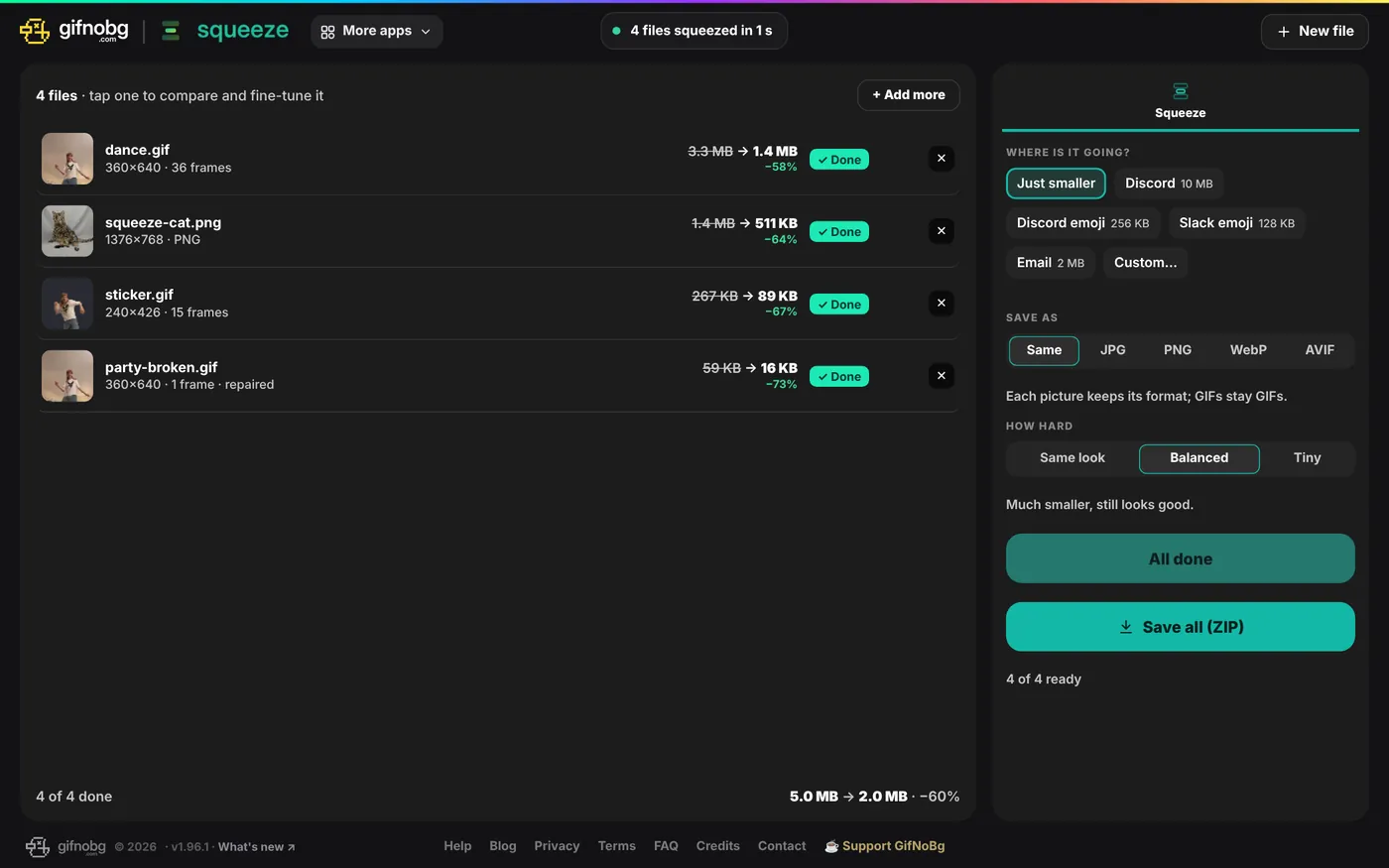
- Pick or drop several files together, GIFs and pictures mixed (up to 50). They show as a list.
- Choose Where is it going?, Save as for the pictures (GIFs stay GIFs) and, without a size limit, How hard: Same look, Balanced or Tiny.
- Tap Squeeze all. Each row shows its progress and then its new size. A file that wouldn't get any smaller is kept as it is.
- Tap a row to compare that file and fine-tune it; All files takes you back.
- Tap Save all (ZIP) to download them in one file.
More in Compress many files at once.
Repair a broken GIF
A GIF that was cut off while downloading, has junk at the start or frames without colours often won't play anywhere. Open it in Squeeze: it keeps every frame it can read, tells you what it fixed under Repaired, and saving any version gives you a clean GIF. Parts of a frame that were lost show as black. More in Repair a broken GIF.
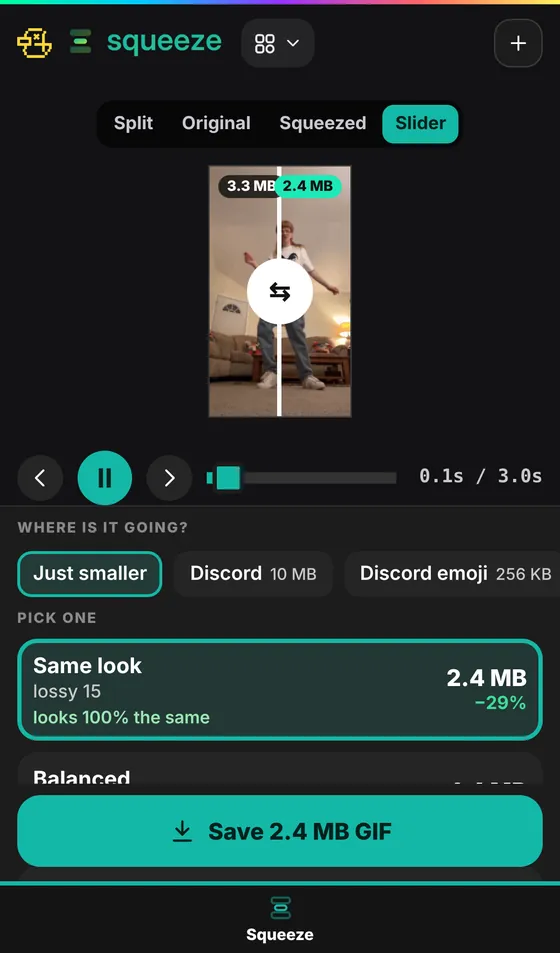
Your files never leave your device, there's no watermark and no sign-up. Very large GIFs may be too big for a phone: try them on a computer.
