Save your effects as a GIF, video or picture
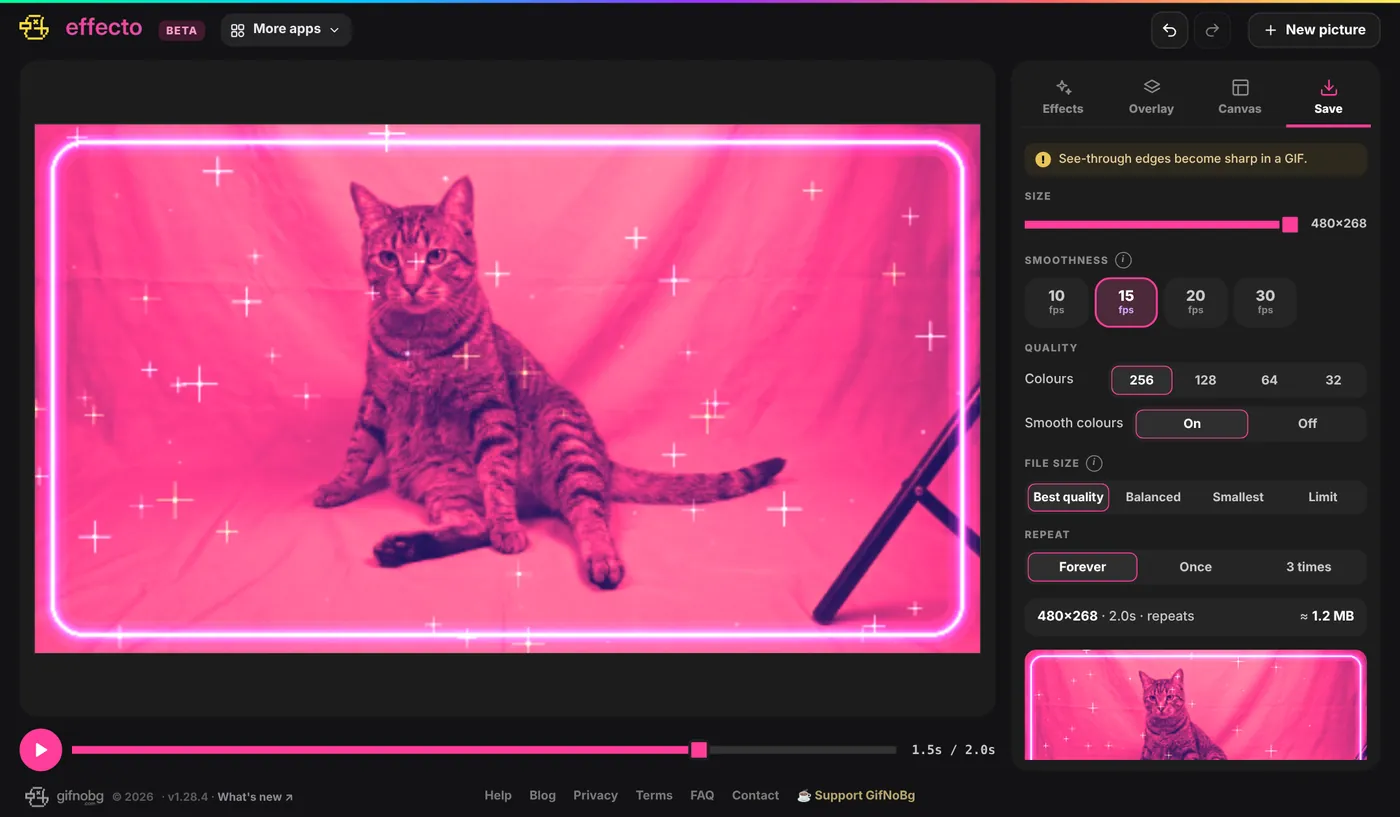
Save your picture with effects as an animated GIF, WebP, APNG or MP4 video, or as a still PNG or JPG. Set the length for still photos and keep GIF timing.
When it looks right, open Save. Everything you see in the preview goes into the file: the effects, text and stickers, at full size.
Which format?
- GIF: plays in every app and chat. Up to 256 colours, and see-through edges become sharp.
- WebP: a smaller animated file with smooth colours and soft see-through edges.
- APNG: full colour and soft see-through edges, but bigger files.
- MP4: a video for Reels, TikTok and chats. Videos can't be see-through, so pick a background in Canvas first if your picture has see-through parts.
- PNG: one still picture of the moment you see, see-through parts kept. Pause the preview to pick the moment.
- JPG: one still picture with a small file size. See-through parts become white unless you picked a background.
The line above the button shows the size, the length and roughly how big the file will be.
Length, speed and repeating
- A still photo becomes an animation: pick how long it lasts under Length (1 to 6 seconds) in the Effects tab. The effects loop smoothly inside that time.
- An animated GIF keeps its own frame timing; the effects play on top of it.
- The Speed slider of each effect sets how many times it repeats in that time.
- Repeat (in Save) makes a GIF play forever, once or three times.
Big file? Lower the Size, pick fewer frames per second under Smoothness, or choose WebP. For GIFs, File size → Limit finds the best version under the size you need.
Your pictures never leave your device: the file is made in your browser. There's no watermark.

Try the effects on your own pictureFree, no sign-up, no watermark — and your picture never leaves your device.
Open Effecto